Update Details
This new version includes several key enhancements:
- Improved Moto Device Screen Unlock: The initial step’s explanation and guide images for existing unlock procedures have been optimized for a more intuitive and clearer operation.
- New LG Device Screen Password Unlock Procedure: A new method has been added to enable screen unlock even if the device cannot be powered off normally, expanding compatibility.
- Optimized Redmi HyperOS 1.0 FRP Bypass: The explanation for the existing FRP bypass procedure has been revised to reduce operational errors and support a smoother bypass process.
- Improved OPPO ColorOS 14 FRP Bypass: Compatibility with the latest ColorOS 14 has been enhanced, improving the stability and clarity of the FRP bypass process.
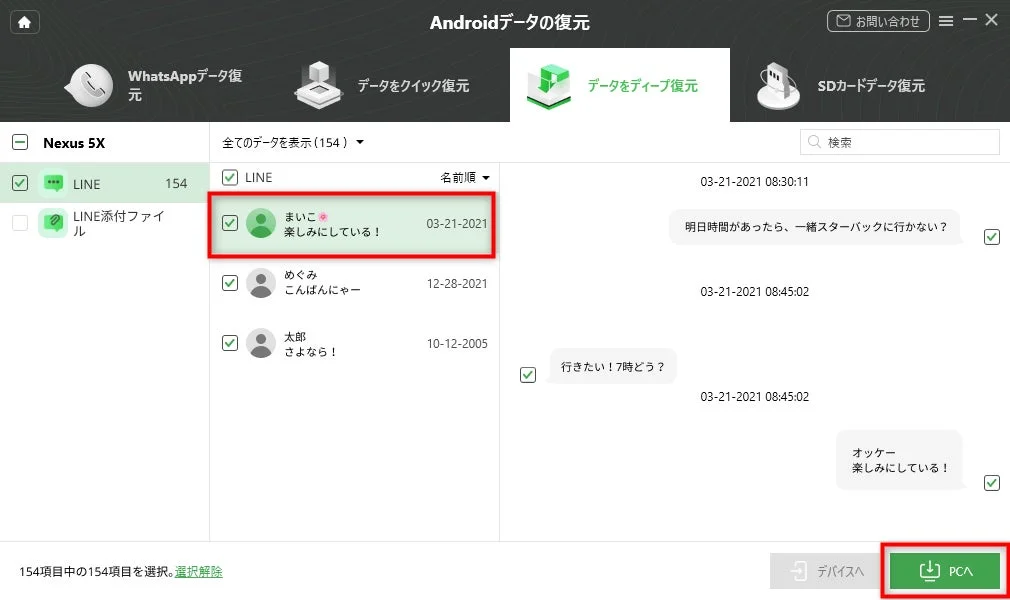
- Enhanced LINE Data Recovery Function: The scanning speed for LINE messages, photos, and attached files has been improved, along with an increased recovery success rate.
About iMobie DroidKit
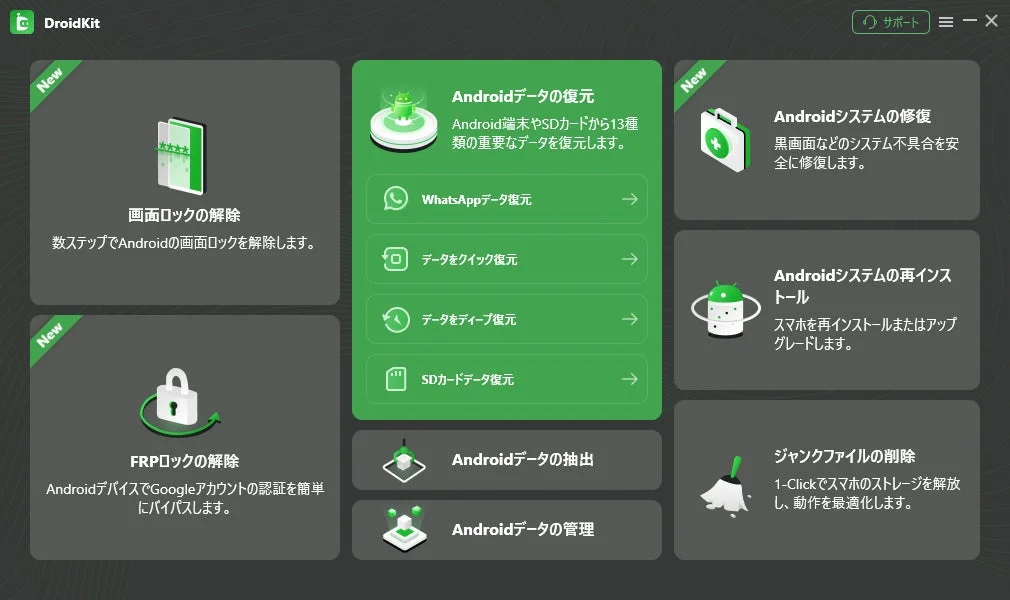
iMobie DroidKit is a comprehensive solution designed specifically for Android devices. It features proprietary data recovery technology capable of scanning and extracting LINE expired PDFs, photos, videos, contacts, and other data from the device’s internal storage, even when typically inaccessible. It offers flexible approaches, from “Quick Recovery” which does not require rooting, to “Deep Recovery” for more thorough data exploration. With DroidKit, essential business documents or cherished files that have passed their storage period and can no longer be opened can be retrieved with simple operations.
iMobie DroidKit Key Features
-
High-Speed Scanning and High Recovery Success Rate: Improved scanning speed and recovery success rate enable efficient retrieval of important data.
-
Supports Diverse Data Recovery: In addition to LINE, it supports the recovery of various Android data types, including photos, videos, contacts, and WhatsApp data.
-
Multi-functional Device Management: Beyond data recovery, it offers various Android device management functions such as screen unlock and FRP bypass. It can address a wide range of device issues and restrictions, solving multiple problems with a single tool.
-
Intuitive Operation: Users can easily operate the software by following step-by-step guides, even without specialized knowledge.
-
Wide Android Device Compatibility: It supports major devices from Samsung, Xiaomi, LG, Redmi, OPPO, and the latest Android OS versions.
How to Recover Expired LINE PDFs and Files with iMobie DroidKit
Here’s a simple guide to recovering your LINE data:
Step 1. Download DroidKit from the official website and install it on your Windows or Mac computer. Connect your Android device, from which you want to recover data, to your computer using a USB cable.
Step 2. Launch DroidKit. On the main screen, select “Data Recovery” > “Quick Recovery.”

Step 3. From the list of recoverable data, choose “LINE.” Click the “Start” button to analyze and load LINE data from your device.
Step 4. After the scan is complete, select the PDFs and chat history you wish to recover and restore them to your computer or device. You can preview the content to confirm.
Related Articles
-
5 minutes to understand! Data recovery procedure after smartphone initialization
-
Forgot tablet unlock! Possibility to open without initialization and sure countermeasures
For more information, visit the iMobie DroidKit official website.
About iMobie
iMobie is a global leader in software development, providing solutions for iOS and Android device data management, recovery, system repair, and unlock. Established in 2011 with the mission to “make digital life simpler,” iMobie has served over 30 million users in more than 160 countries and regions worldwide. The company continues to develop innovative tools to solve diverse challenges faced by modern mobile users, such as recovering lost device data, unlocking devices due to forgotten passwords, and simplifying complex data migration.
-
Homepage: https://www.imobie.jp/
-
Twitter: https://twitter.com/iMobie_jp