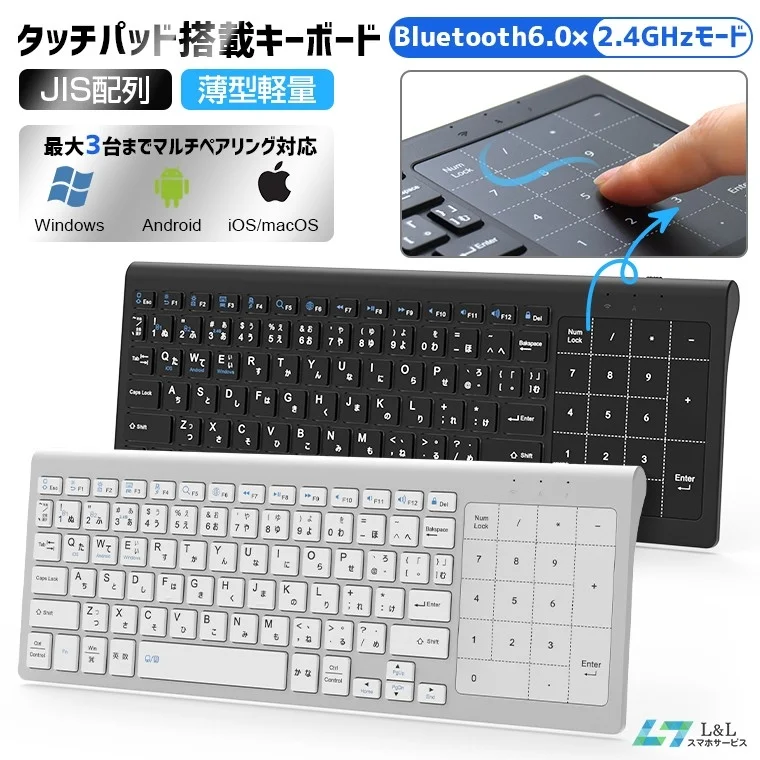
Key Features: 5 Highlights
Intuitive Mouse-Free Operation
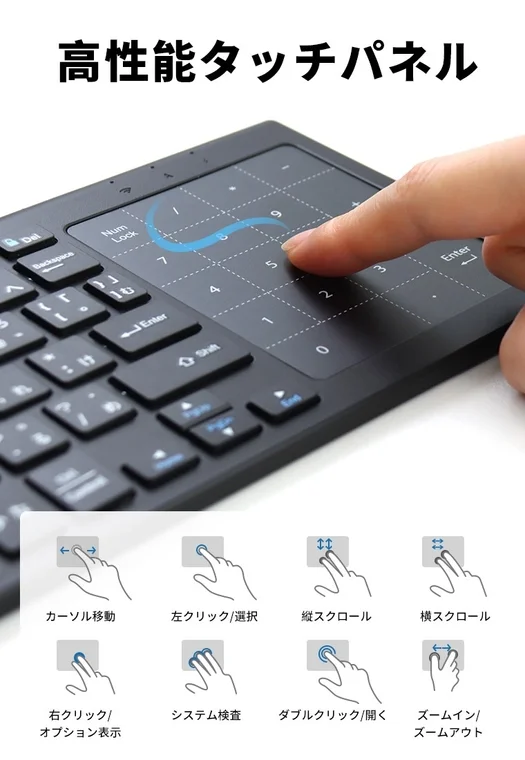
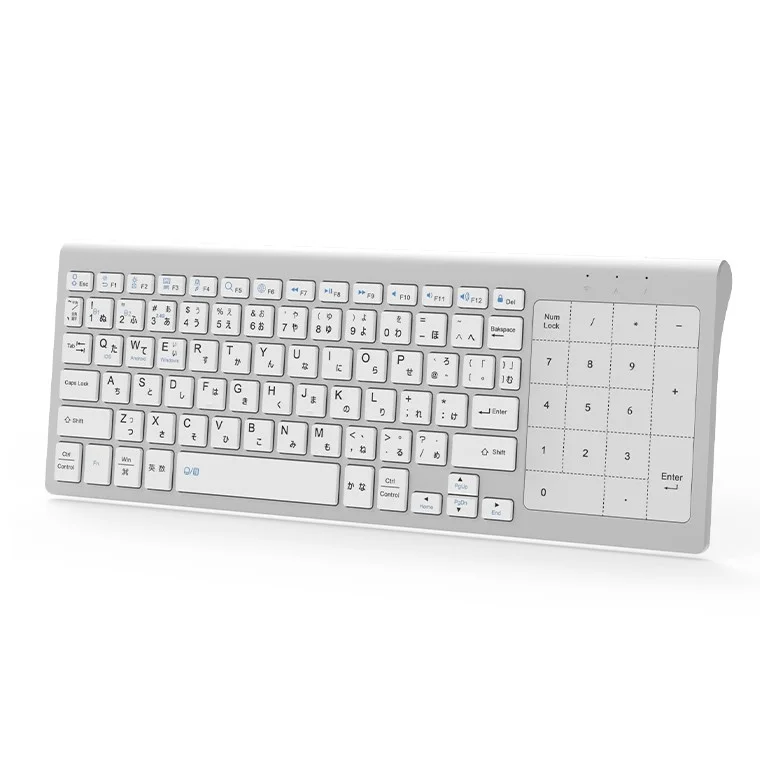
Located on the right side of the keyboard, a high-precision touchpad fully replaces the function of a mouse. It supports 8 patterns of touch gestures, including cursor movement, left/right clicks, and scrolling. This eliminates the need for a mouse on the desk, creating a significantly tidier workspace.
Efficient Numeric Input with Integrated Keypad
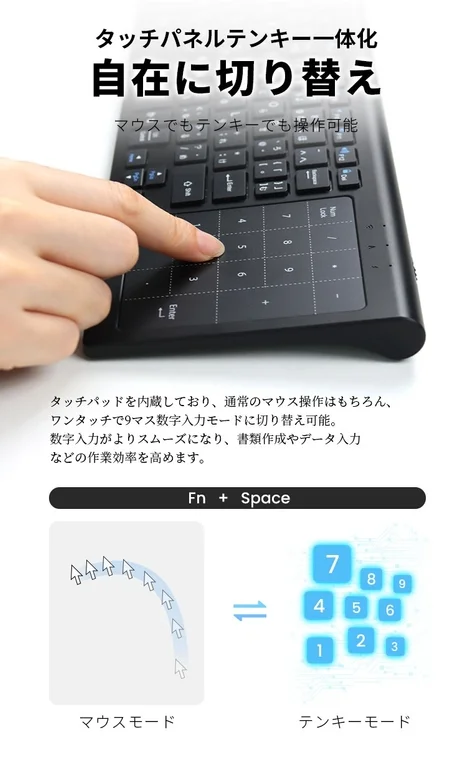
With a standard numeric keypad on the right, numerical input tasks, such as those in Excel, are dramatically streamlined. Traditionally, users would need a separate keyboard, mouse, and numeric keypad. This product condenses all these into one, allowing for easy portability without occupying excessive bag space. This significantly boosts productivity in tasks requiring extensive numerical input, such as accounting or statistical processing.
Multi-Device Support for Instant Switching
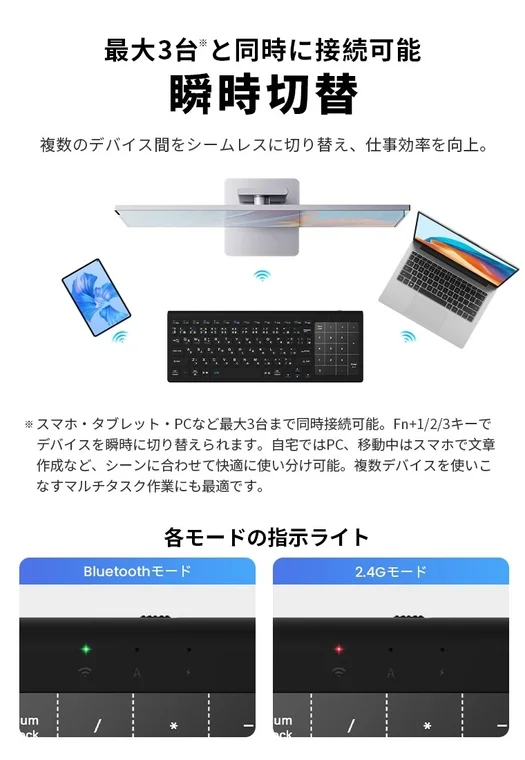
Devices can be switched instantly with a single button, streamlining workflows that involve multiple devices. For example, users can create reports on a PC in the morning and review presentation materials on a tablet in the afternoon. The keyboard supports simultaneous connection to up to three devices via Bluetooth 6.0 and 2.4GHz wireless dual connection.
Silent Design for Distraction-Free Work
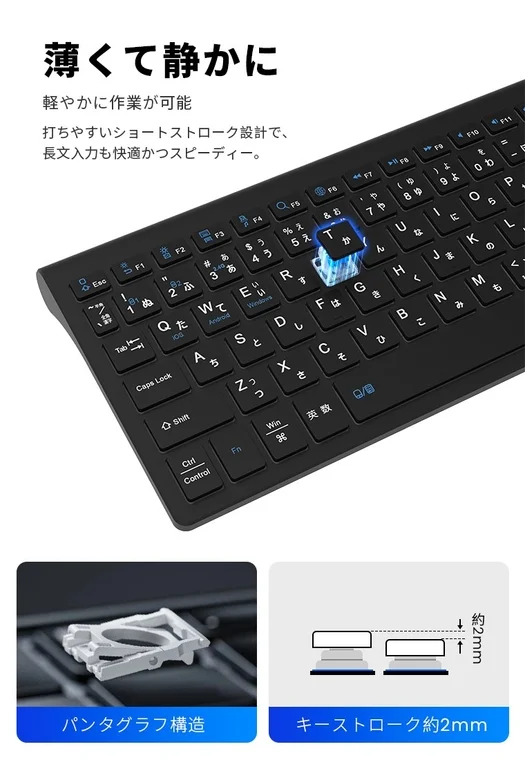
As situations requiring consideration for ambient noise increase, such as working late at home, in cafes, or during online meetings, this product’s silent design minimizes typing sounds. This allows for comfortable use in quiet environments like libraries, and prevents keyboard noise from disturbing others during remote work or important meetings.
Portability and Energy-Saving Design
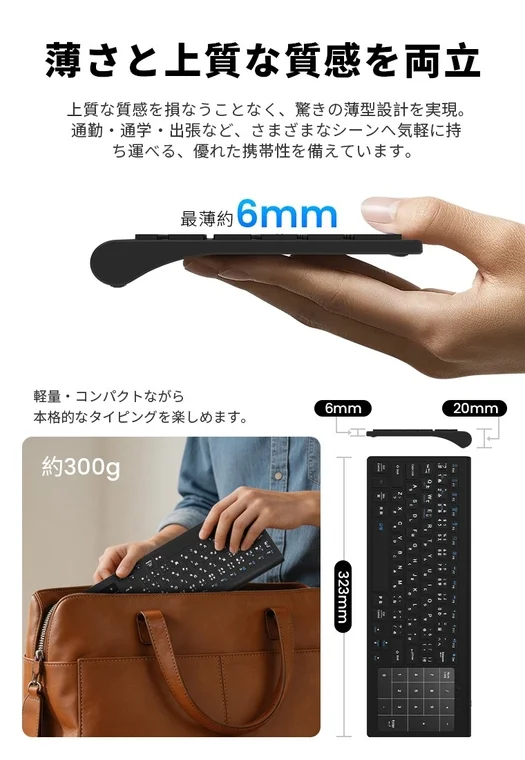
Its slim and lightweight design allows it to easily fit into business bags or backpacks. All functions are implemented while minimizing weight. The keyboard is powered by dry cell batteries, eliminating the need for cumbersome charging. Furthermore, a convenient power switch helps prevent battery drain during non-use, ensuring extended operational life.
Familiar Operation with Japanese Layout
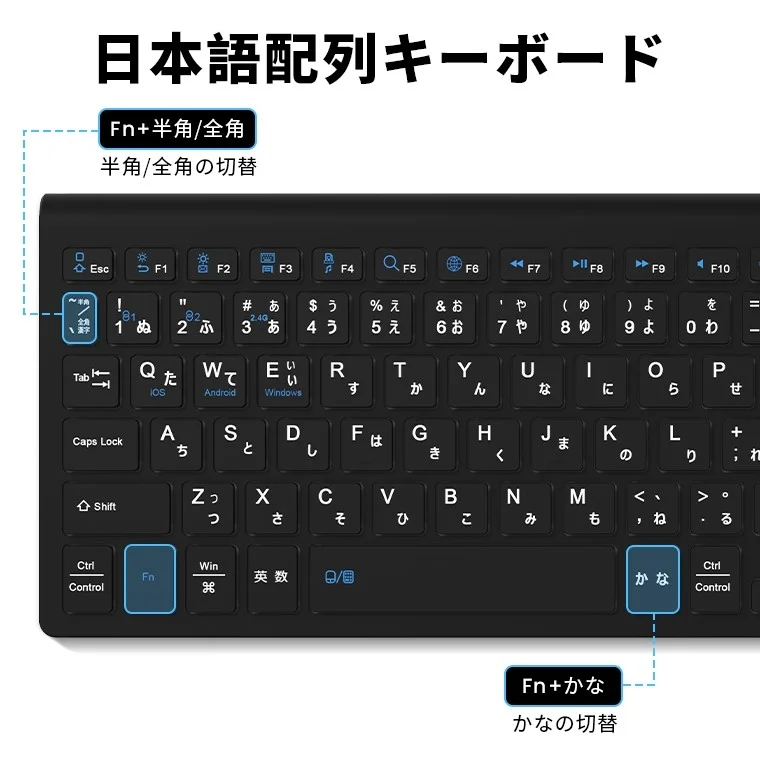
Smooth function switching between OS-specific features, such as Fn + Half-width/Full-width key and Fn + Kana key, ensures that both Windows and Mac users can use the keyboard without discomfort.
Product Overview
-
Supported OS: Windows, Android, macOS, iOS
-
Connection Method: Bluetooth 6.0, 2.4GHz wireless dual connection
-
Simultaneous Connections: Up to 3 devices
-
Key Layout: JIS Japanese layout
-
Power Source: Dry cell battery (with power switch)
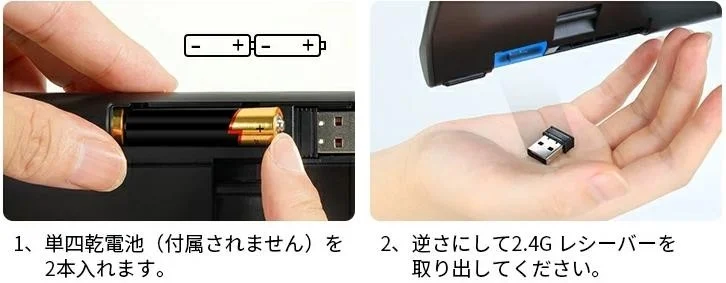
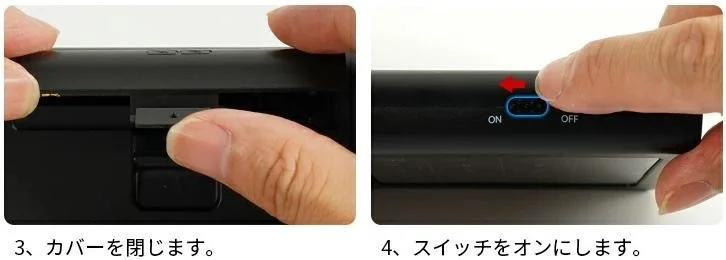
To set up the keyboard:
- Insert two AAA dry cell batteries (not included).
- Close the battery cover and slide the switch to the ON position.
About L&L LivelyLife Co., Ltd.
L&L LivelyLife Co., Ltd. began its operations in 2015 as an online shop. It has since expanded its business domain to become a lifestyle technology company, offering a wide range of products including smartwatches, wireless earphones, smartphone accessories, small home appliances, and outdoor/sports-related products. The company has expanded its sales channels to major online malls in Japan, Europe, the Americas, and Southeast Asia, with over 10 million customers having used its products and services. L&L LivelyLife Co., Ltd. specializes in product development that accurately captures the latest technology and market needs, providing high-quality and high-value-added products. The company pursues innovative and practical product creation under the philosophy of “making daily life more convenient and richer.”
Company Name: L&L LivelyLife Co., Ltd.
Representative: Hidetomo Shida
Location: Tachikawa AS Building 3F, 3-1-13 Nishikicho, Tachikawa-shi, Tokyo 190-0022, Japan
Phone Number: 042-512-8274
Official Website: https://www.rakuten.co.jp/smahoservice/