Key Features of GO:MIXER STUDIO
-
A compact audio interface compatible with iPhone, iPad, and PC (Mac/Windows), suitable for recording performance videos and music production.
-
Equipped with a wide range of input/output terminals, including XLR microphone input, guitar/bass input, LINE input/output, USB input/output, and headphone output.
-
Features high-output, high-quality microphone preamps and effects modeled after studio equipment (compressor, reverb).
-
Supports dedicated apps:
GO:MIXER Camfor iOS, enabling multi-track audio recording during video capture, andGO:MIXER Editorfor PC, allowing visual setting adjustments during music production.
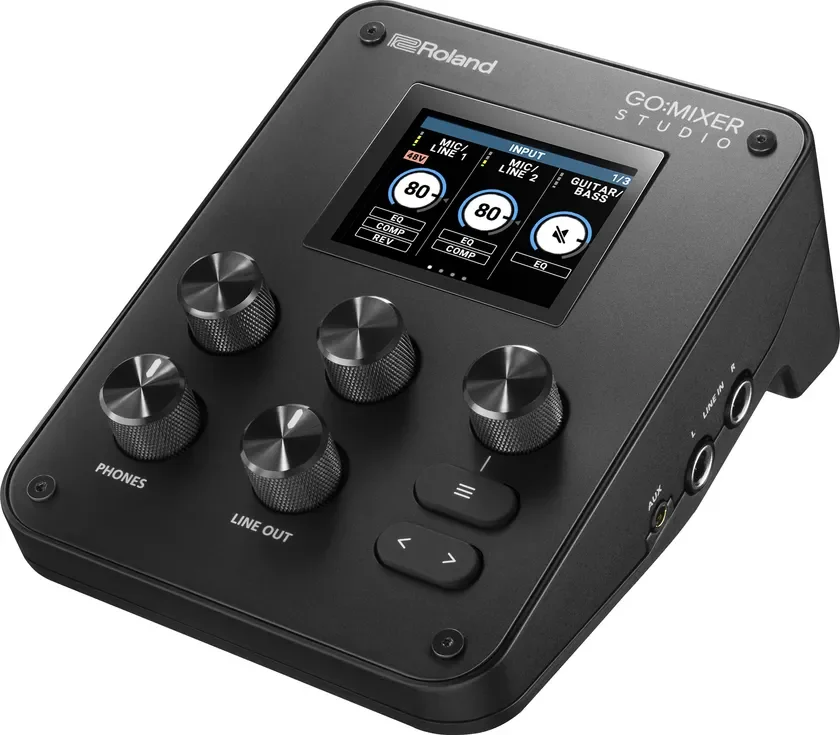
GO:MIXER STUDIO
Advanced Evolution of the GO:MIXER Series
Roland has a history of successful compact audio mixers for smartphones, starting with the GO:MIXER in 2017, followed by GO:MIXER PRO (2018) and GO:MIXER PRO-X (2021). The latest model, GO:MIXER STUDIO, is an advanced evolution of this series, offering compatibility with iPhone, iPad, and PC (Mac/Windows).
The GO:MIXER STUDIO includes high-output, high-quality microphone preamps and integrates studio-modeled effects such as compressor and reverb. It features extensive input/output terminals, including two XLR microphone inputs, guitar/bass input, LINE input/output, AUX input, headset microphone input, TRS MIDI input/output, USB input/output, and headphone output, supporting various creative needs.
With support for a maximum sample rate of 24bit/192kHz, the device functions as a high-quality audio interface, integrating seamlessly with music production software on PCs. Despite its multi-functionality, the GO:MIXER STUDIO is lightweight at 440g and compact, making it highly portable for high-quality content creation on the go.
Comprehensive Input/Output and PC Compatibility
The GO:MIXER STUDIO is equipped with diverse inputs and outputs to cater to various applications. It includes two XLR microphone/LINE inputs for vocals and acoustic instruments, a guitar/bass input, and 1/4-inch jack inputs for stereo instruments like keyboards and electronic drums. The stereo AUX input uses a TRRS specification terminal, supporting two-way audio connection with mobile devices.
For outputs, it offers a 1/4-inch jack for standard studio headphones and a mini-jack for wired earphones (also supporting headsets and in-line microphones). Additionally, two 1/4-inch jack LINE outputs are provided for connecting to studio or filming site speaker systems.
New PC (Mac/Windows) connectivity is also supported, functioning as a high-quality audio interface with a maximum sample rate of 24bit/192kHz, offering 12IN/6OUT (8IN/4OUT at 192kHz) for music production software integration.
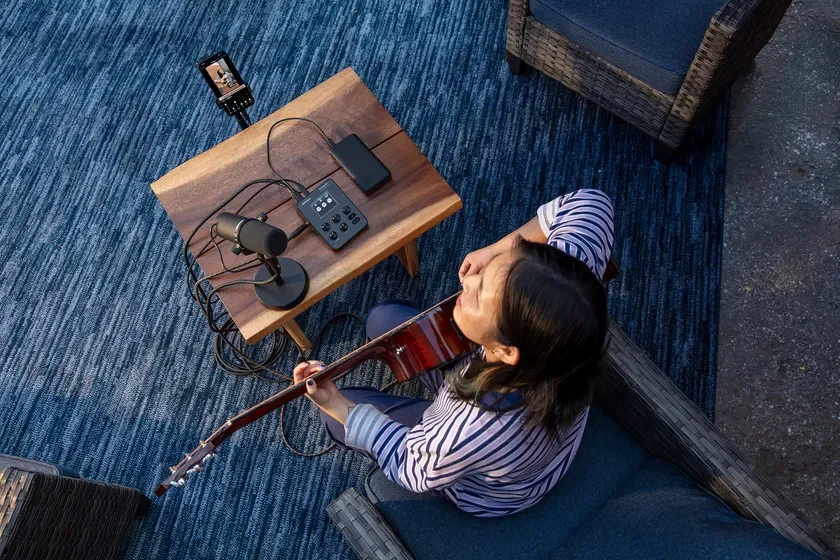
GO:MIXER STUDIO Usage Image (Solo Performance)
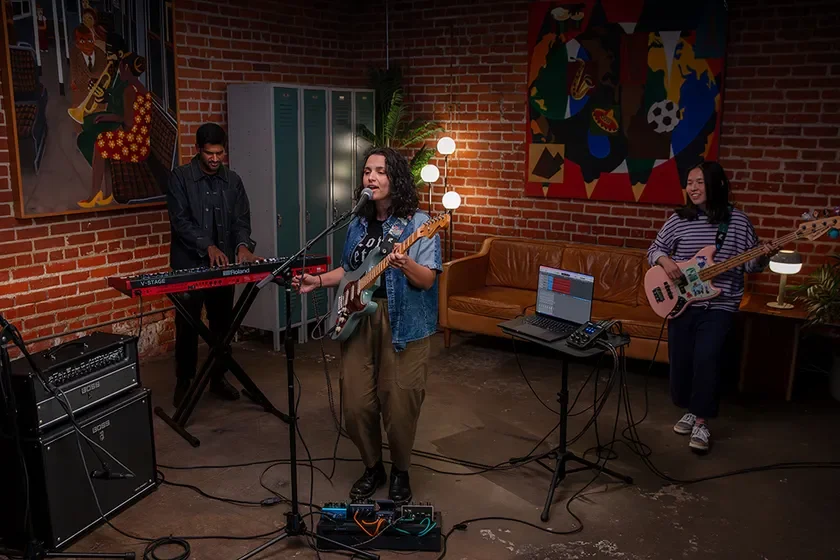
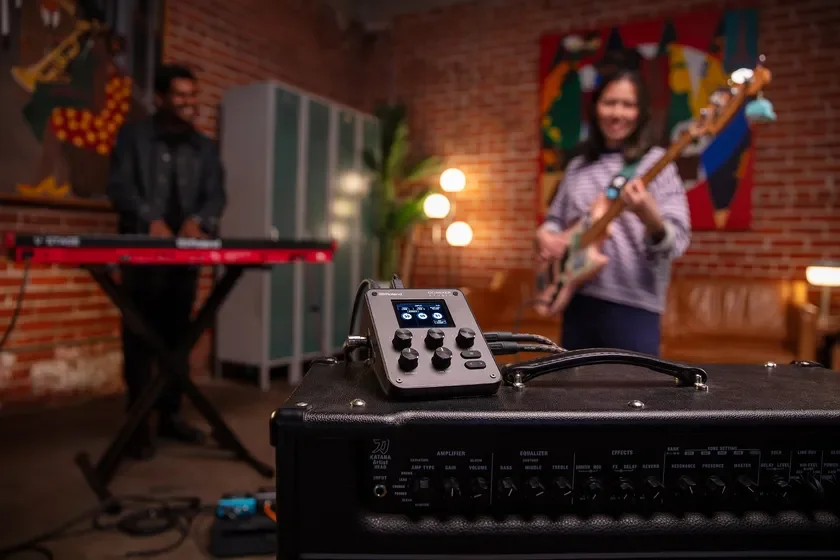
GO:MIXER STUDIO Usage Image (Band Performance)
Enhanced Features for High-Quality Creative Work
Two high-output, high-quality microphone preamps are integrated into the GO:MIXER STUDIO, ensuring sufficient output even for low-sensitivity dynamic microphones. It features studio-modeled effects (compressor, reverb) and allows EQ adjustment for each channel. The analog output employs a dual-bus system, enabling independent selection and adjustment of mixing combinations and EQ for headphone and LINE outputs. USB multi-channel support allows recognition as multiple USB inputs/outputs on a PC, enabling independent audio adjustment for various PC applications or sending specific input audio to music production software.
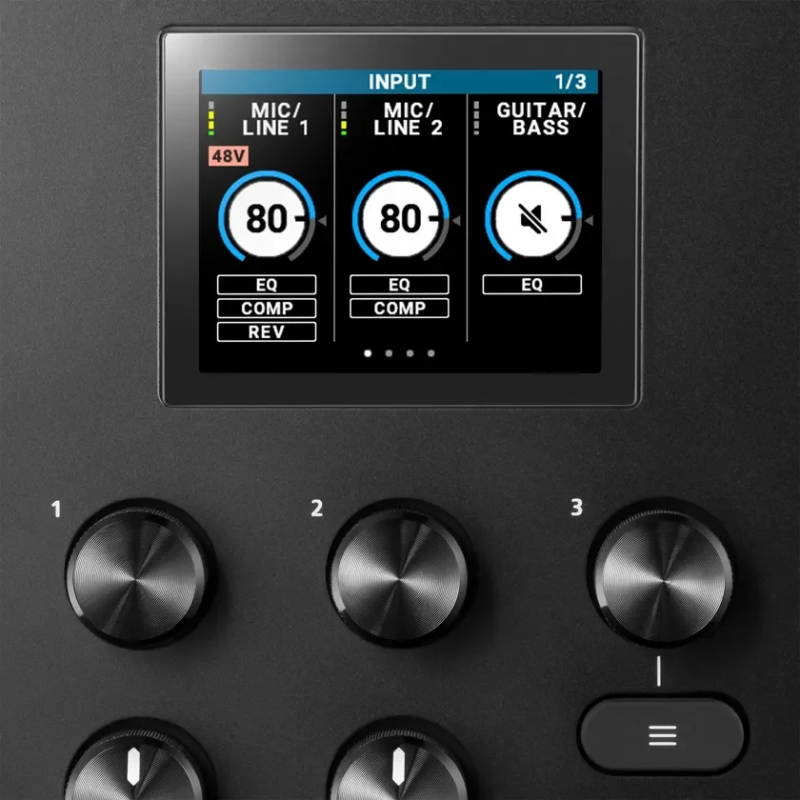
LCD screen and controls
The GO:MIXER STUDIO also includes a color LCD monitor for intuitive standalone adjustment of its extensive functions using knobs and buttons. Users can save mixing settings to 16 scene memories, allowing quick switching between configurations for different uses, such as studio music production or outdoor performances. A tripod screw hole on the bottom ensures comfortable operation when mounted on a camera tripod.
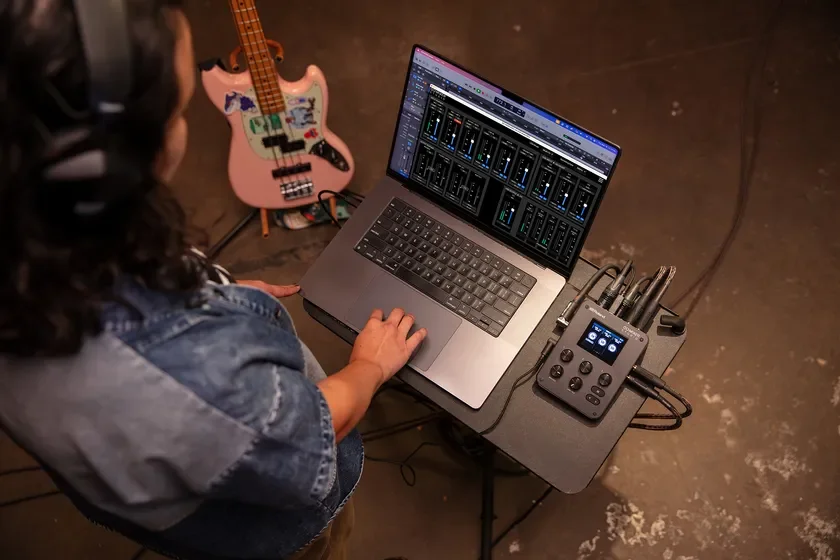
PC audio adjustment
Dedicated Apps for Enhanced Workflow
GO:MIXER Cam for iOS
The GO:MIXER Cam app for iPhone/iPad allows multi-track audio recording simultaneously with video capture. Users can adjust audio balance for each GO:MIXER STUDIO input within the app. This enables post-production adjustments, such as increasing vocal volume after recording a guitar and vocal performance without altering the guitar volume. Multi-track audio files can also be exported for mixing in music production software or PC video editing software.
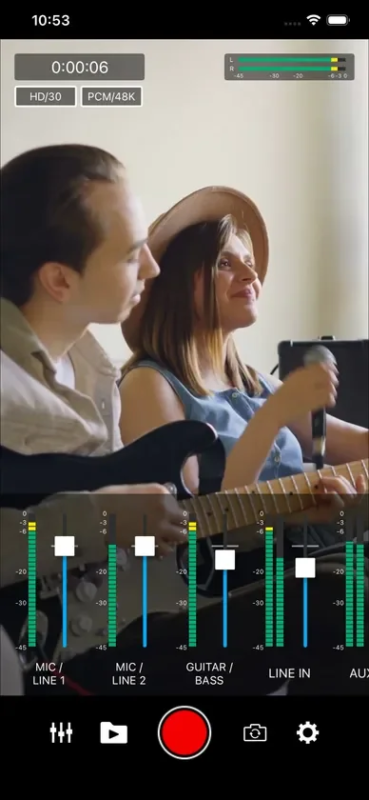
iOS App GO:MIXER Cam Screen Image
GO:MIXER Editor for PC
For music production, the GO:MIXER Editor app for Mac and Windows allows users to view and edit all channel settings of the GO:MIXER STUDIO on a large PC screen, providing a more visual approach to adjustments.
Learn more about GO:MIXER Editor
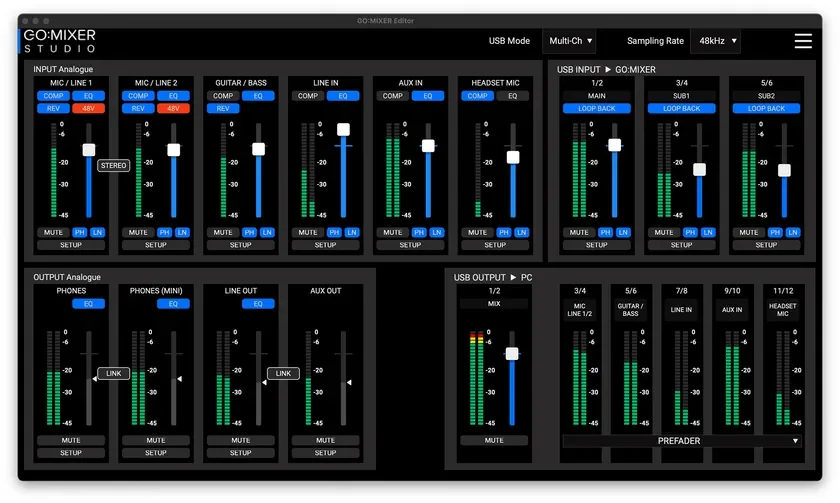
PC App GO:MIXER Editor Screen Image
Main Specifications
-
External Dimensions: 110 (W) × 156 (D) × 65 (H) mm
-
Weight: 440g
-
Accessories: USB Type-C to Type-C cable (1.5m)
Product Images
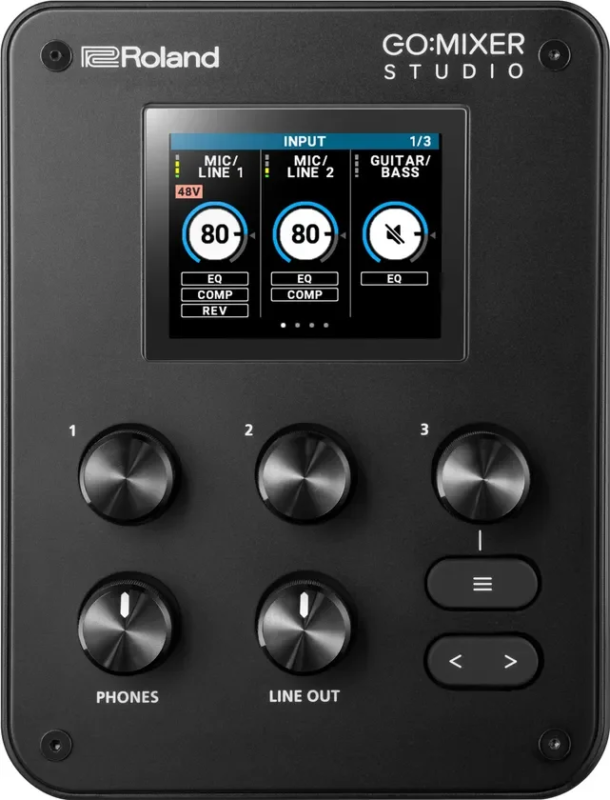
GO:MIXER STUDIO Top Panel
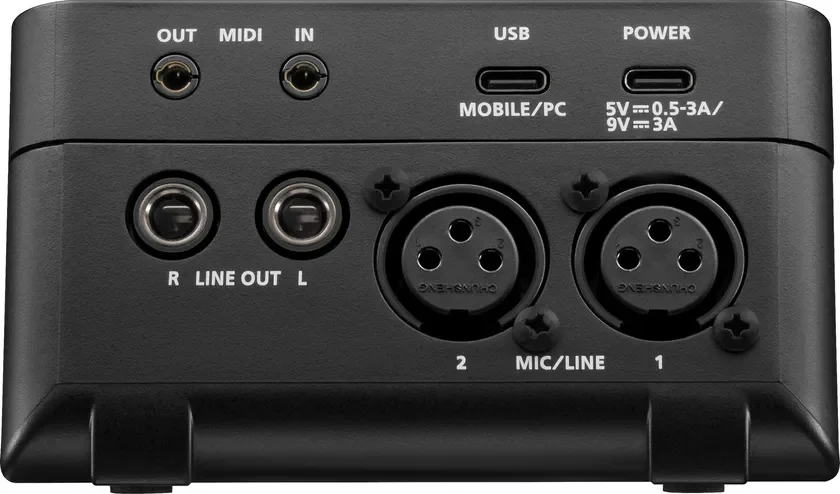
GO:MIXER STUDIO Rear Panel
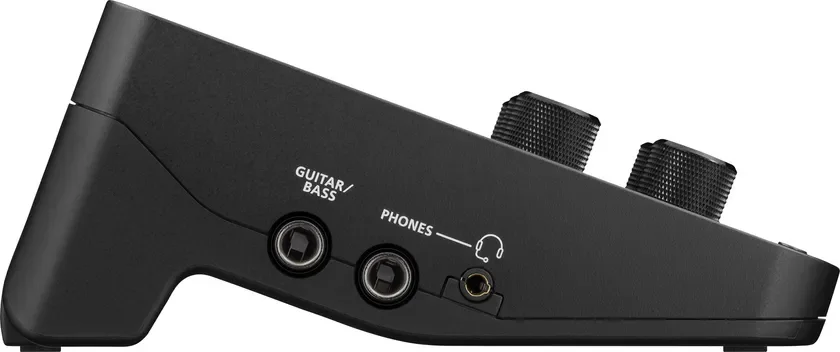
GO:MIXER STUDIO Left Side Panel
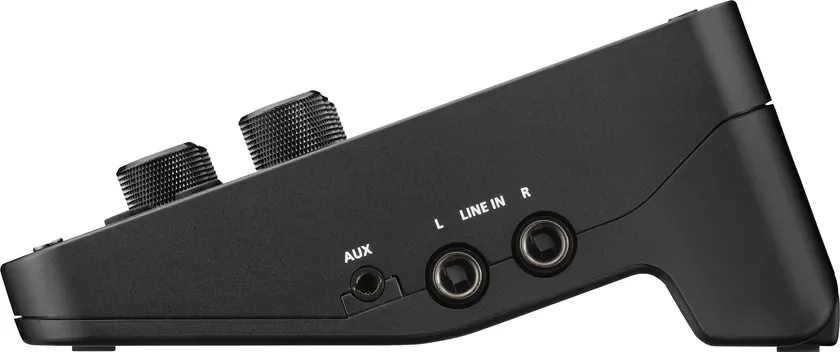
GO:MIXER STUDIO Right Side Panel
Further Information
-
Product Details: https://www.roland.com/jp/products/gomixer_studio/
-
Product Video: https://youtu.be/sMx_B1omZ08