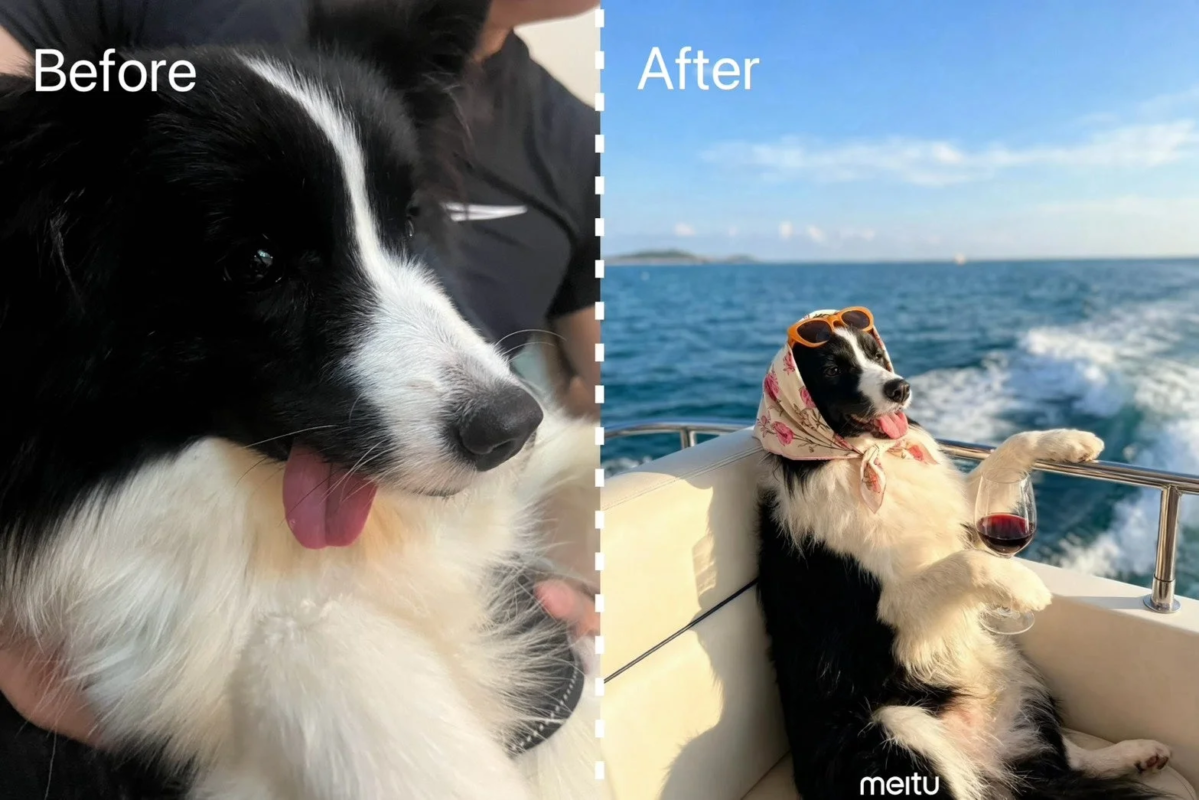
How to Use “Meccha Vacance”
The process to use the “Meccha Vacance” feature is straightforward:
- Open the Meitu app.
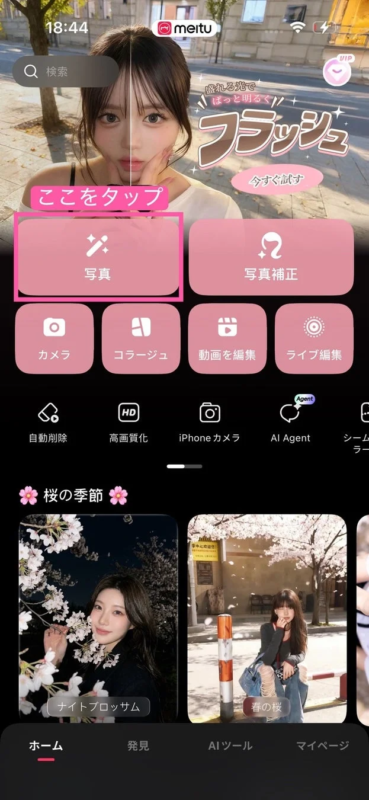
- Select a photo.
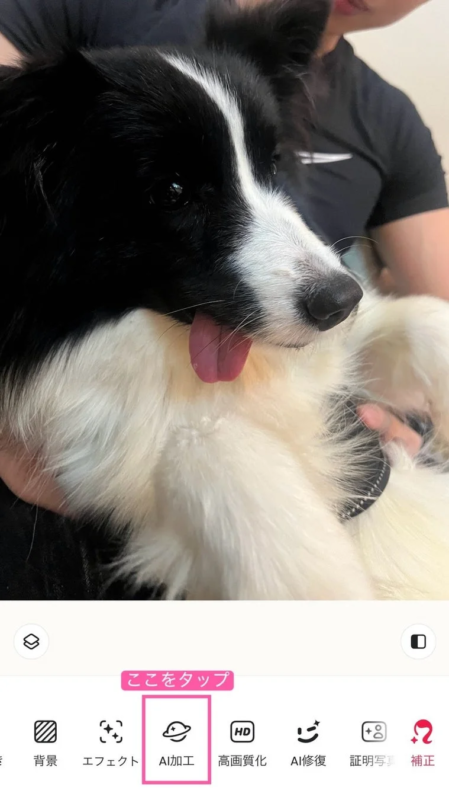
- Choose “AI Processing” (AI加工).
- Select “Pet” (ペット).
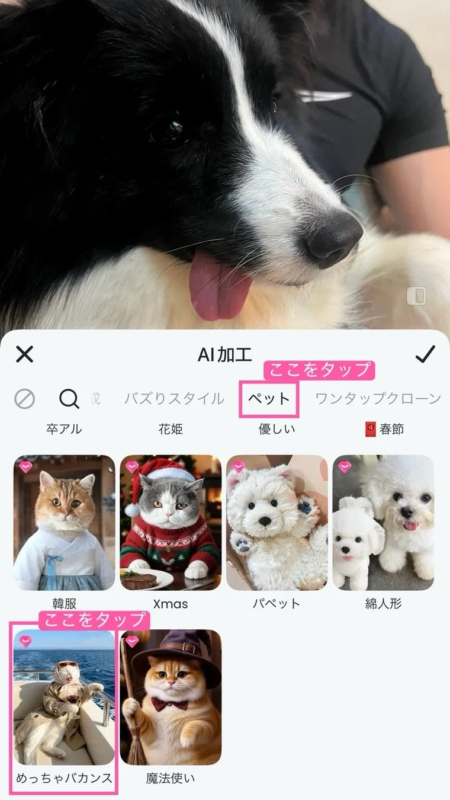
- The transformation is complete!

Meitu Inc. is committed to continuously enhancing its offerings, releasing new features weekly.