Product Features
High Picture Quality
-
Mini-LED for Enhanced Brightness and Contrast
The U7S Series utilizes a greater number of smaller Mini-LED backlights compared to conventional LCD TVs. This design enables brighter, higher-contrast images with enhanced detail. This technology achieves up to a 33% increase in peak brightness compared to previous models (e.g., 65U7S (2026 model) versus 65U7R (2025 model)). An AI engine further refines contrast by meticulously dividing and controlling the backlight in specific areas.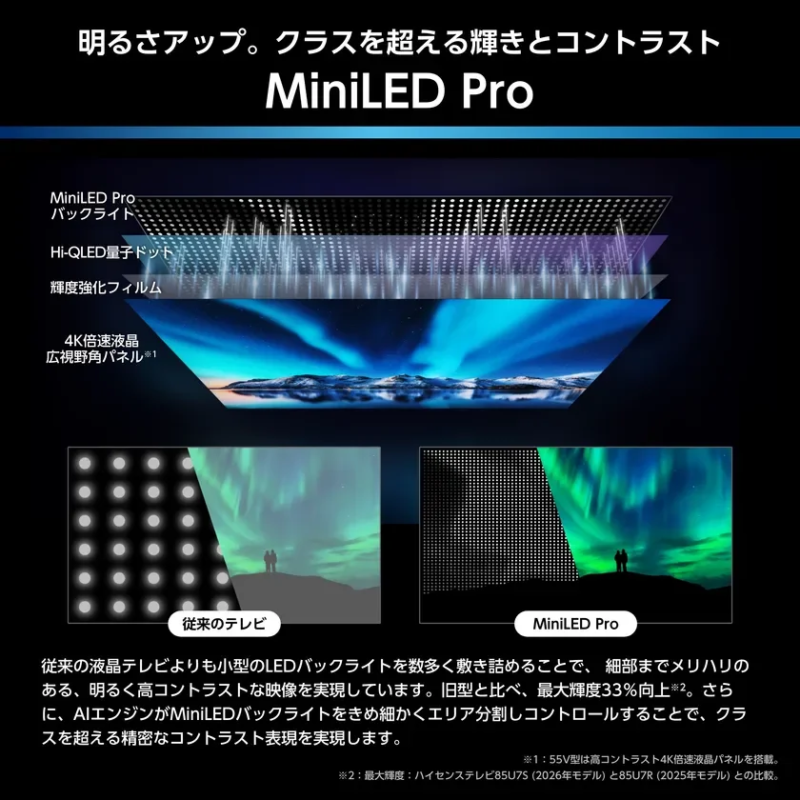
-
Hi-QLED Quantum Dot Technology
Quantum dots convert backlight light into highly pure colors, significantly improving the expression of green and red tones compared to conventional LCDs. This results in richer colors and a deeper sense of immersion, certified by Pantone for realistic color reproduction.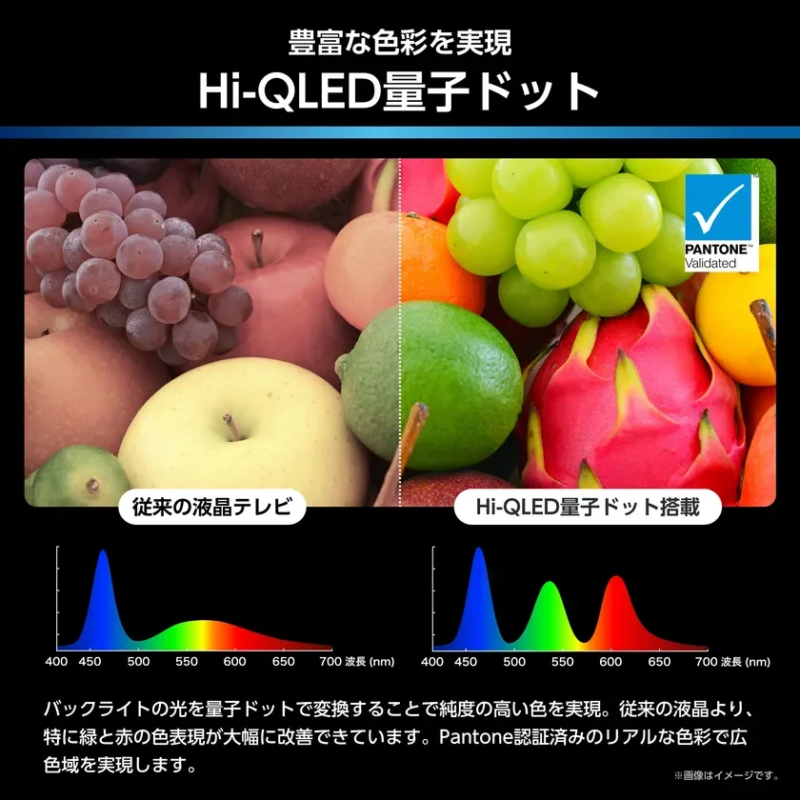
-
Wide Viewing Angle Panel
The series features a wide viewing angle panel that maintains high contrast and picture quality from various angles, ensuring consistent color without fading. (Note: The 55V model is equipped with a high-contrast panel.)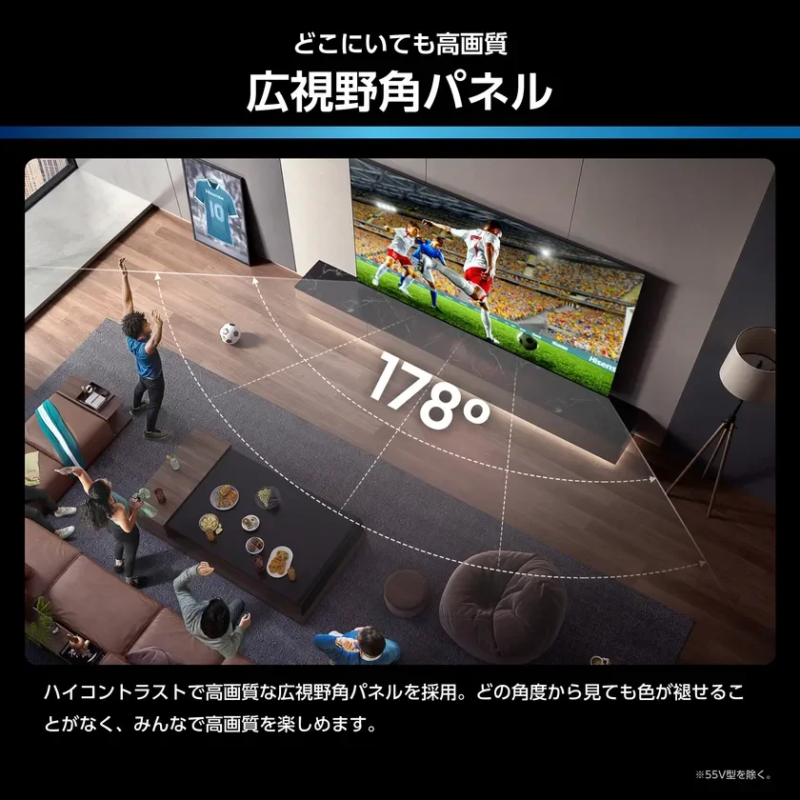
-
New “Hi-View AI Engine Pro” Co-developed with TVS
This new AI engine, co-developed with TVS, acts as the TV’s central command, managing not only picture quality but also sound quality and energy efficiency. It ensures optimal entertainment performance at all times.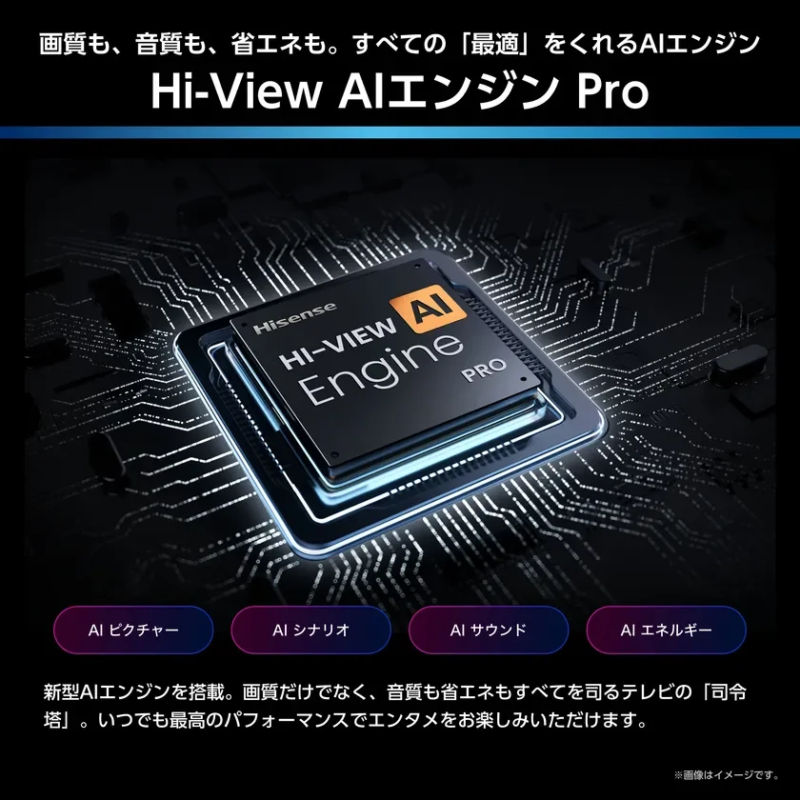
-
AI Picture
The AI instantly processes each video frame, delivering high-resolution, vivid, high-contrast, and smooth images even from initially low-quality content. (Note: Not supported in “Monitor” or “Game” modes.) -
AI Banding Noise Control
This feature applies high-quality processing tailored to online video characteristics, reducing noise and enhancing detail. The AI identifies content and processes contour-like noise into smooth gradations while applying sharp enhancements to object edges for a three-dimensional effect.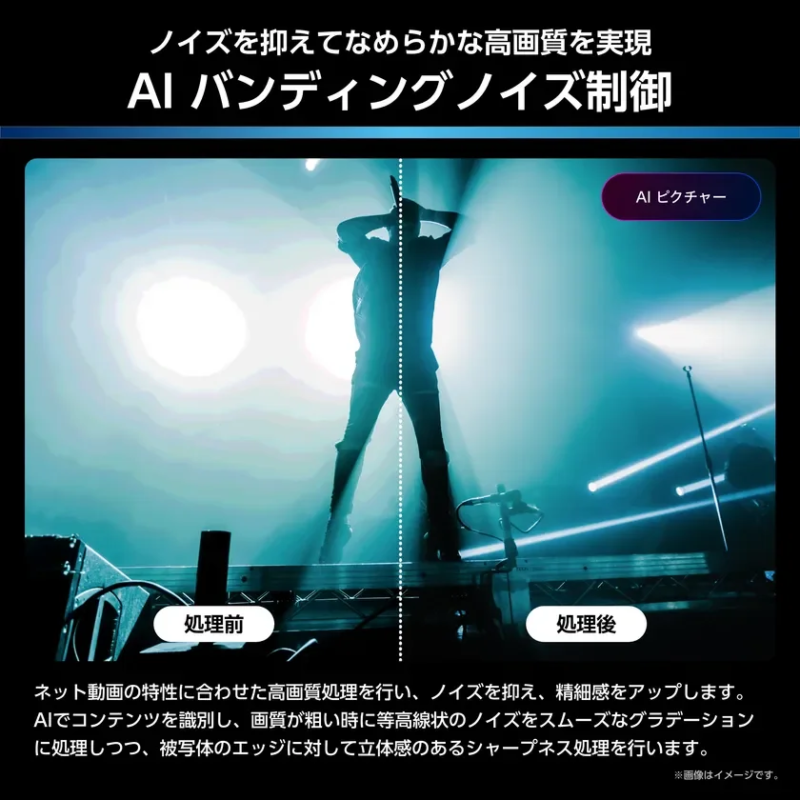
-
AI Clear Motion Pro
By referencing preceding and succeeding frames, the AI generates intermediate images to smoothly reproduce jerky content. Fast-moving sports appear fluid and clear with minimal afterimages, reducing eye fatigue during prolonged viewing.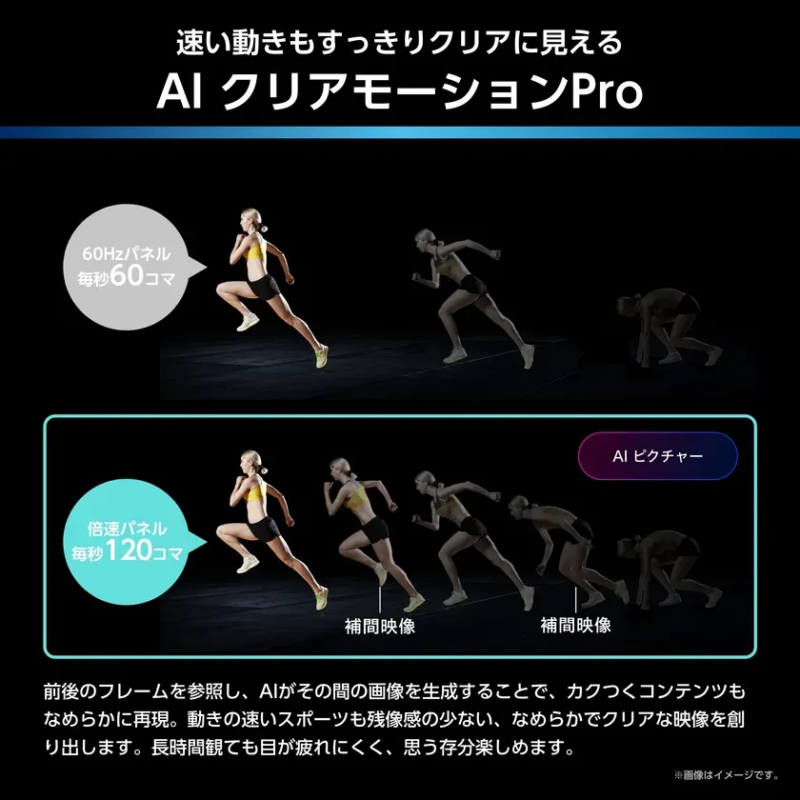
-
Frame Judder Reduction
When screen movement or frame shaking is intense, the AI automatically detects the subject and reduces frame judder accordingly, providing smoother and more stable video.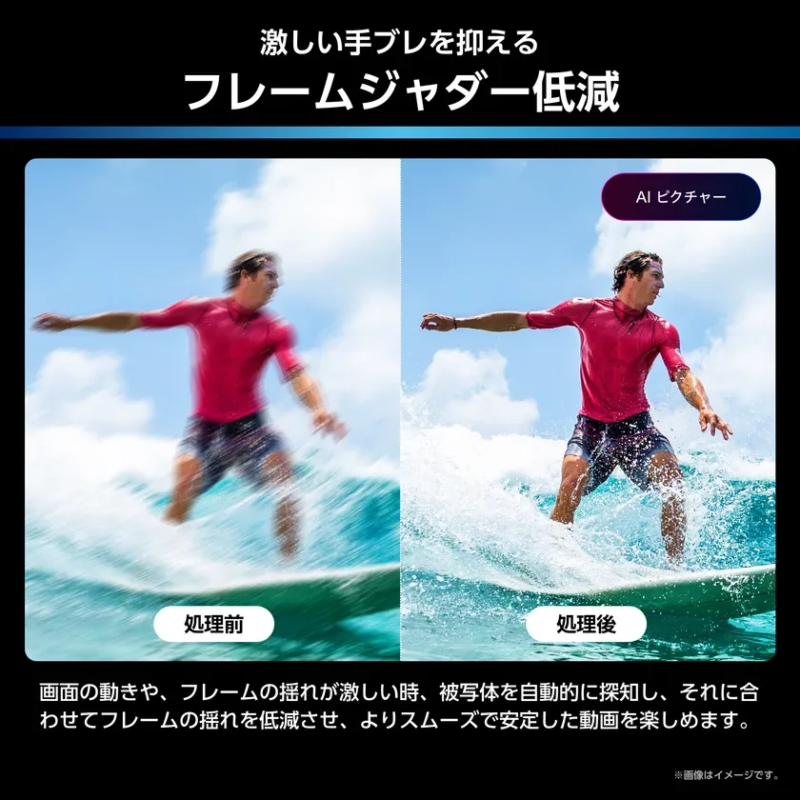
-
AI Skin Tone Reality Pro
This technology suppresses overexposure and underexposure, delicately rendering color tones to reproduce transparent and beautiful skin textures. It also naturally restores unnaturally overexposed human skin tones due to shooting conditions.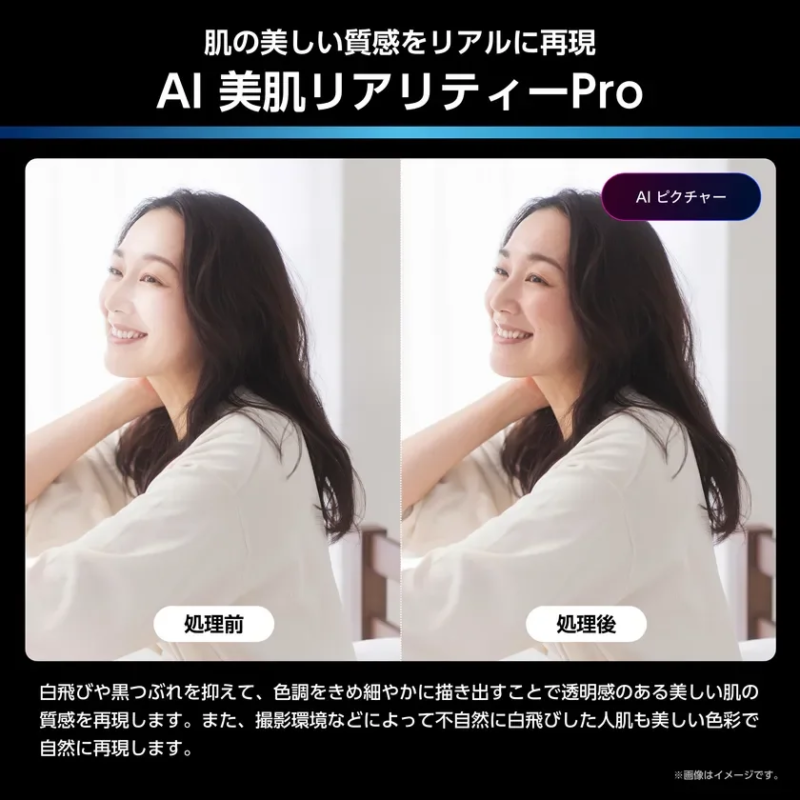
-
AI 4K Upscale
The AI engine performs super-resolution processing to upscale low-resolution video content to near 4K quality, reproducing more delicate and beautiful images.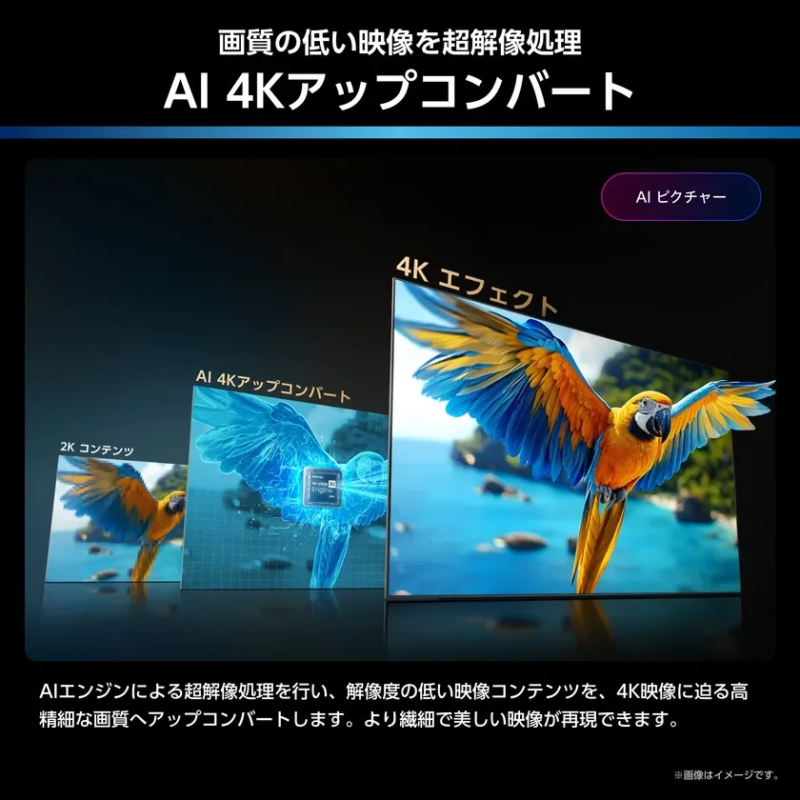
-
AI HDR Upscale
AI-driven HDR brightness restoration processing is applied to SDR video content, realistically reproducing the vibrant colors and high brightness of HDR video. This allows for dynamic video expression similar to HDR even with non-HDR content.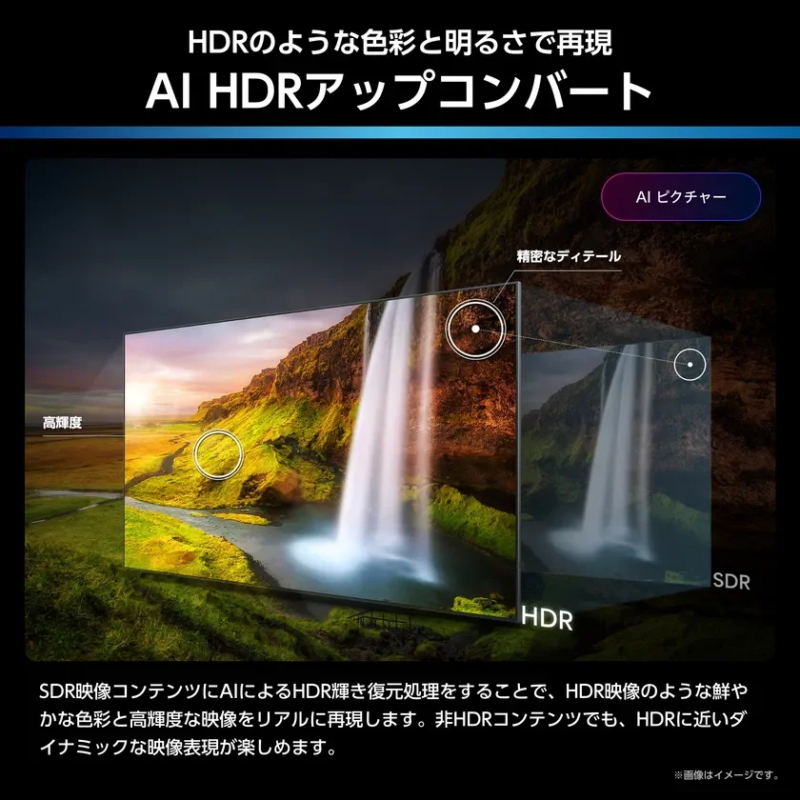
-
AI Scenario
The AI recognizes input signals and content types, automatically switching to the appropriate picture mode. Whether day or night, enjoying online videos, movies, sports, or games, the AI provides optimal picture tuning. (Note: Only compatible with “AI Auto” video mode.)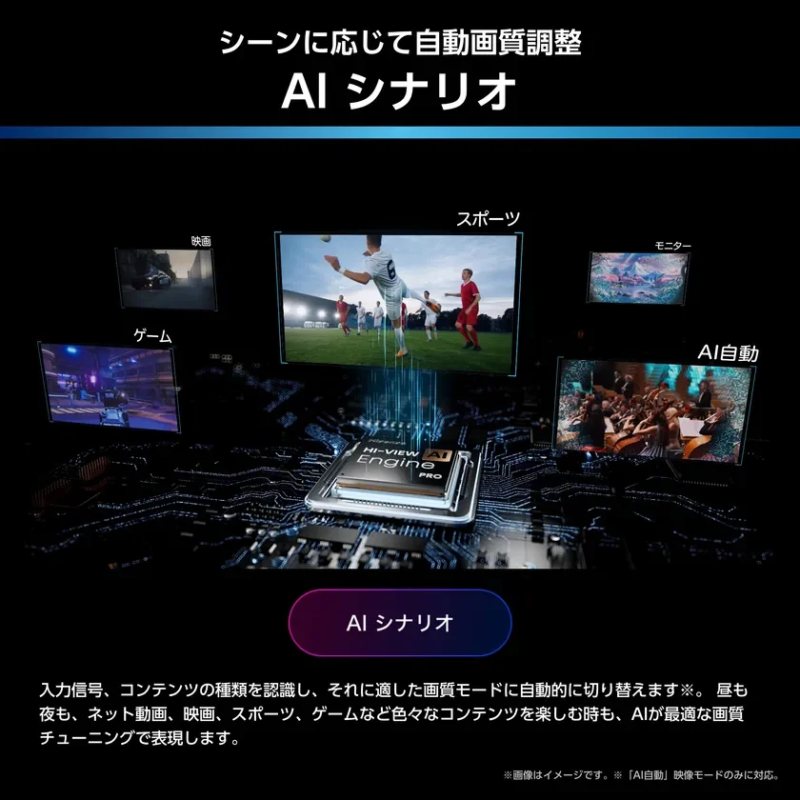
-
Support for Various HDR Formats
The TVs support the latest HDR standards adopted in 4K satellite broadcasting, Ultra HD Blu-ray, and 4K online videos. This allows viewers to enjoy high-quality HDR images with astonishing contrast and smooth color gradations, faithfully reproducing the creators’ intentions.
High Sound Quality
-
2.1 Subwoofer Sound System
Featuring main left and right speakers along with a subwoofer, this 3-speaker system achieves a practical maximum output of 40W. It delivers powerful bass and immersive sound for entertainment. AI sound optimization further maximizes acoustic potential, achieving performance beyond its class.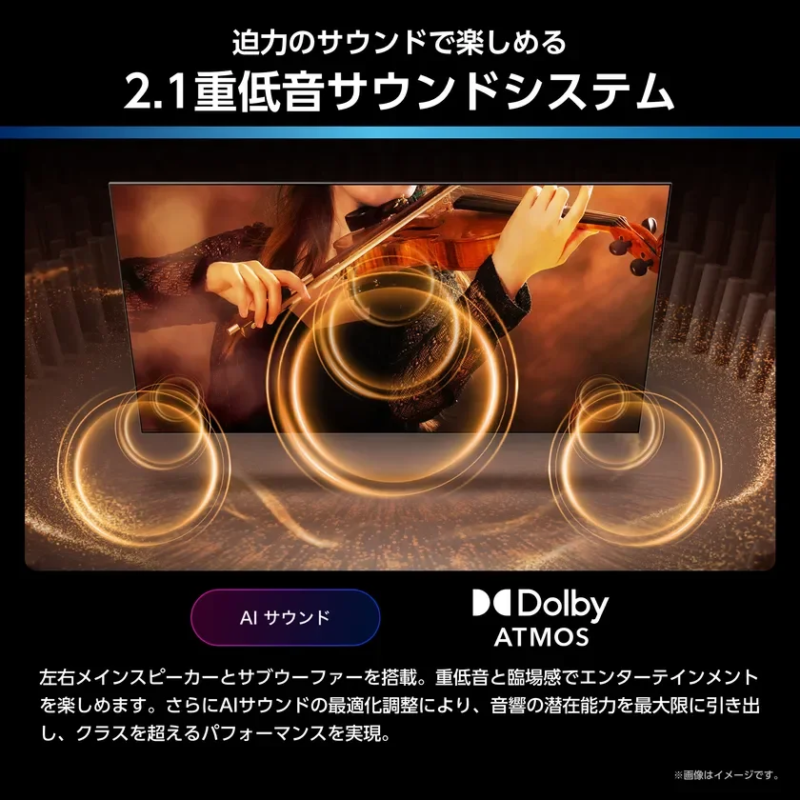
-
AI Sound
The AI recognizes content types and automatically switches to the appropriate sound mode. This includes emphasizing heavy bass for live performances, enhancing sound spaciousness for movies, and correcting human voices for improved clarity. (Note: Only compatible with “AI Auto” audio mode.) -
Dolby Atmos
Support for Dolby Atmos allows for sound expression not only from front, back, left, and right, but also from above, providing a cinematic, three-dimensional sound experience. -
Audio Calibration
The TV automatically adjusts sound settings to suit the room environment. Test signals sent from the TV are measured by the remote control’s microphone, and acoustic characteristics are automatically adjusted for immersive sound. -
Auto Volume
This feature maintains consistent volume levels, reducing the need to adjust volume frequently between programs and commercials. It suppresses loud sounds like explosions in movies and dramas while appropriately amplifying whispers, ensuring stable volume without compromising the creator’s intent. It also compensates for volume drops during Blu-ray disc playback to reduce volume differences with other program sources. (Note: Auto Volume employs Eilex Auto Volume technology.) -
Clear Voice
This function prioritizes and reconstructs human voices for clearer listening, emphasizing dialogue in movies and dramas to prevent voices from being obscured by sound effects. (Note: Clear Voice employs Eilex Prism Dialogue technology.) -
VIR Filter
The VIR filter flattens all audio frequency bands from high to low, correcting and clarifying crucial sounds like human voices and other important audio elements. -
Sound Remaster
This technology improves sound quality by restoring and compensating for weak signals lost in the frequency domain due to digital compression, effectively reproducing audio details, clarity, and nuances. (Note: Sound Remaster employs Eilex Focus technology.)
Streaming Services
- VIDAA OS with Direct VOD Buttons
The TV is equipped with VIDAA OS, supporting various popular domestic streaming video services. It offers quick response times and smooth operation, along with VIDAA Voice for convenient voice control. Furthermore, 12 streaming services can be accessed directly via dedicated buttons. Pressing a direct button also automatically powers on the TV.
Gaming Features
-
Native 144Hz Game Mode PRO & Gaming Menu
With HDMI 2.1 interface, the “Game Mode PRO” achieves low latency of approximately 0.83ms even with the latest 4K 144P input gaming consoles. This minimal delay between button input and display is ideal for fast-paced games like action games, FPS, and fighting games. A new gaming-specific menu allows real-time checking of refresh rate, HDR, and VRR status. It also enables easy adjustment of backlight and dark gamma in dark scenes, and features a “Crosshair Display” for FPS games.
(Note: Video latency for 4K/120Hz, 4K/144Hz, 1080p/120Hz, 1080p/144Hz input when “Game” video mode is selected. 4K/120Hz, 4K/144Hz, 1080p/144Hz input is only supported on HDMI input terminals 1 and 2.)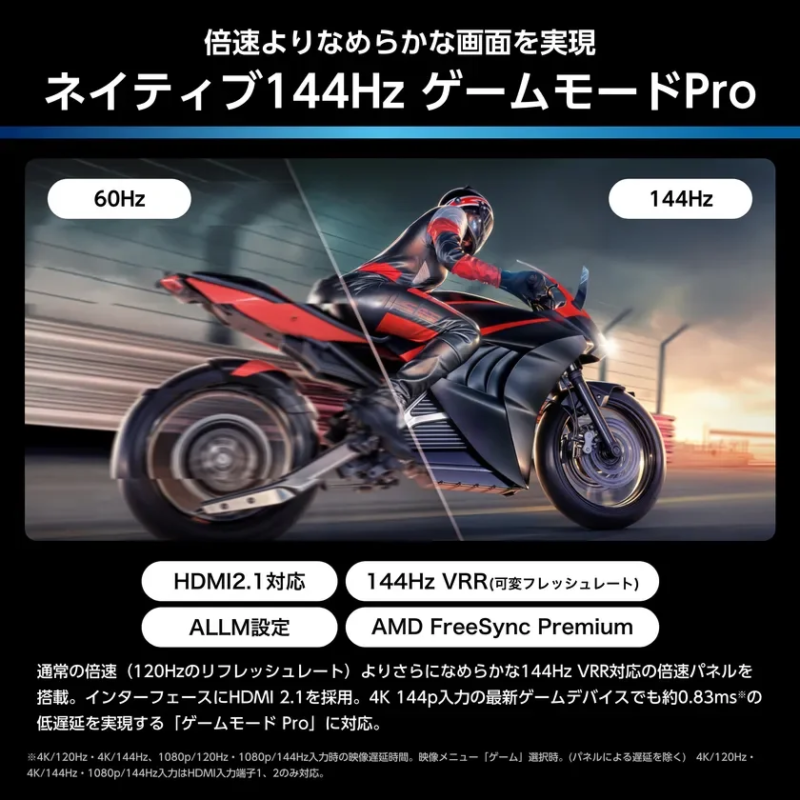
-
HDMI 2.1 Support
Supports 4K 144P input via HDMI 2.1, reducing flickering and stuttering for a stress-free gaming experience. It also automatically switches between low-latency and high-quality modes in conjunction with information from the game console. (Note: Use premium high-speed HDMI® cables or ultra high-speed HDMI® cables for 4K video signals from external devices.) -
144Hz VRR (Variable Refresh Rate)
This technology reduces screen tearing and stuttering caused by frame rate mismatches and input lag between the graphic’s frame rate (fps) and the TV’s refresh rate (Hz), providing smooth, tear-free gaming visuals. (Note: VRR signal input settings require configuration on the game console. Not available when “Auto Game Device Settings” is set to “Auto.” This setting is available when HDMI1 or HDMI2 is selected as the external input.) -
ALLM Setting
Automatically switches to low-latency mode settings in conjunction with information from the selected input device. (Note: ALLM settings must be configured for each HDMI input. Internet connection may be required for some features. 4K pixel count is 3,840×2,160. Content of this release is current as of the announcement date and subject to change without notice.) -
AMD FreeSync Premium™ Support
Synchronizes the graphics frame rate (fps) with the TV’s refresh rate (Hz) to reduce stuttering and tearing, enabling smooth and comfortable gaming. (Note: AMD FreeSync™ Premium signal input settings require configuration on the game console. Not available when “Auto Game Device Settings” is set to “Auto.” This setting is available when HDMI1 or HDMI2 is selected as the external input. AMD and the FreeSync logo are trademarks of Advanced Micro Devices, Inc.)
Convenience Features
-
AI Energy
The AI engine collaborates with the “Omakase Sensor PRO” to automatically adjust the TV’s brightness according to ambient light conditions. Additionally, with MiniLED technology, the backlight in dark areas can be automatically dimmed, further enhancing energy-saving effects. (Note: Compatible with “AI Auto” and “Standard” video modes.)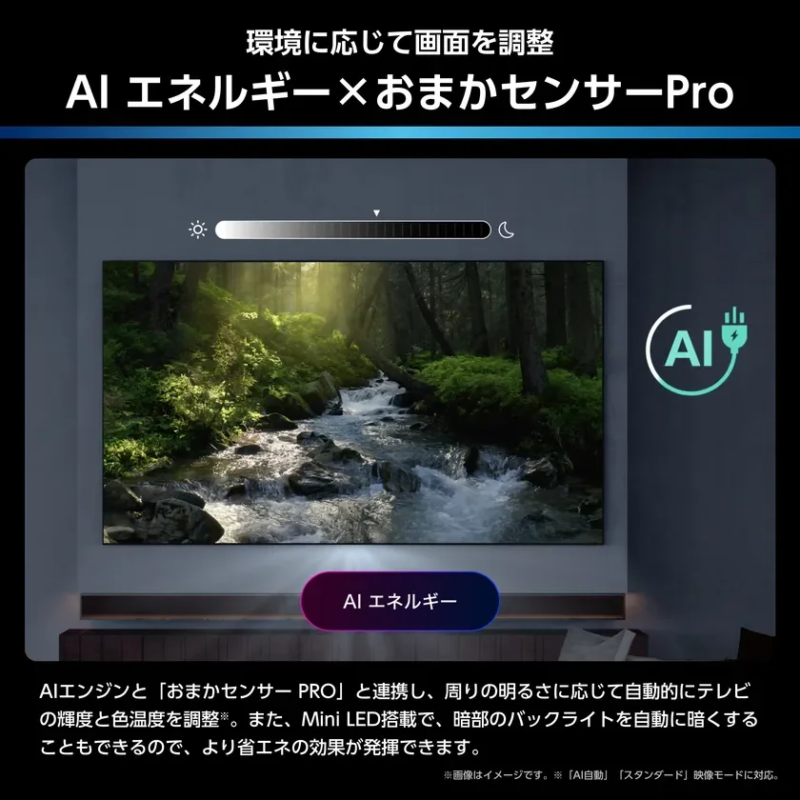
-
Anyview Home Server Function
Recorded programs on an HDD connected to this TV in the living room can be enjoyed on another compatible Hisense TV in a different room. (Note: Compatible Hisense TVs are models sold from 2018 onwards. Home network connection is required. This function supports DTCP-IP, but operation with other manufacturers’ TVs is not guaranteed. Operation on all devices is not guaranteed. Only one client TV can be connected.) -
Screen Share
Smartphone screens can be mirrored to the TV, allowing photos and videos taken with smartphones to be viewed on a large screen. Apple AirPlay2 compatibility enables screen sharing from Apple devices. Anyview Cast function supports screen sharing from some Android™ devices and Windows OS PCs. Both iPhone and Android™ are supported, eliminating concerns about smartphone changes. (Note: Wireless connection to devices like smartphones and tablets is required for content transfer. Miracast compatibility is required for connected devices to use Anyview Cast. Apple AirPlay2 and Apple Home are trademarks of Apple Inc., registered in the U.S. and other countries. TV software updates may be required to enjoy AirPlay and Apple Home.) -
Bluetooth® Support
Wireless headphones can be connected to listen to TV audio from a distance, allowing enjoyment of TV without worrying about disturbing others at night. (Note: For wireless audio with Bluetooth® headphones, the Bluetooth signal must support the “A2DP” audio transmission profile. Refer to the Bluetooth® device’s manual for operation. Bluetooth® connections may work with this unit but are not supported; contact the product manufacturer. The Bluetooth® word mark and logos are registered trademarks owned by Bluetooth SIG, Inc. This product does not guarantee connection operation with all Bluetooth® compatible devices. When A2DP compatible Bluetooth audio devices are connected, audio delay may occur due to Bluetooth characteristics, causing a discrepancy between video and audio. Bluetooth® communication range is up to 10m, but effective range varies depending on obstacles like human bodies, walls, metals, and radio wave conditions. Use in a space with as few obstacles as possible.) -
Bluetooth® Remote Control
The TV can be operated even when the remote control is not in direct line of sight with the TV. -
VIDAA OS
Hisense’s proprietary smart system, VIDAA OS, offers quick power-on, fast button response, and rapid access switching. Numerous popular domestic and international streaming video apps are pre-installed, eliminating the need for downloads and providing easy access to global entertainment. (Note: Searchable apps include Disney+, Prime Video, YouTube, Lemino, U-NEXT, Hulu.) -
VIDAA VOICE Hands-free
Channels, volume, input switching, video search, and video playback can be controlled by voice. The hands-free feature allows TV operation with just voice commands, which is convenient when the remote control is not readily available. -
2-Screen Display
Combinations for 2-screen display include terrestrial broadcasting with terrestrial/BS/CS digital broadcasting, BS digital broadcasting with BS/CS digital broadcasting, CS digital broadcasting with CS digital broadcasting, terrestrial/BS/CS digital broadcasting with AirPlay, and terrestrial/BS/CS digital broadcasting with HDMI input. (Note: BS/CS 4K is not supported.) -
External HDD Support
Commercial USB HDDs can be connected. When recording data is full, replacing the hard drive allows for organized storage and management of important recorded programs. -
Simultaneous Recording of Two Programs
Equipped with three tuners for each of the three waves (terrestrial, BS, CS), allowing viewers to record two terrestrial/BS/CS programs simultaneously while watching another. -
Chapter Function
Recorded programs can be played back from desired scenes. Chapters are automatically created at program transitions, enabling quick access to specific scenes. (Note: Supported when a commercial USB hard drive is connected. The function may not work accurately depending on program and video types.) -
Easy Continuous Recording Reservation
Once a reservation is made, subsequent recordings are automatically handled, eliminating the need to reserve each episode until the final one. This simplifies recording TV dramas and other series, preventing missed recordings. It also accommodates time changes due to program extensions. (Note: Supported when a commercial USB hard drive is connected. Recordings may not occur if tracking keywords or criteria are not appropriately changed. Broadcast time changes are supported up to 2 hours.)
Company Overview
-
Company Name: Hisense Japan Co., Ltd.
-
Headquarters: Kowa Kawasaki Nishiguchi Bldg., 66-2 Horikawa-cho, Saiwai-ku, Kawasaki-shi, Kanagawa, 212-0013, Japan
-
Establishment Date: November 4, 2010
-
Representative: Representative Director and President, Zhang Xifeng
-
Business Activities: Import and sales of home appliances, etc.