- Achieving World-Class Accuracy
- A Pivotal App for the Voice Input Era
- Development Insights: Surpassing Paid Services
- Design Focused on Security
- Ultimate Simplicity with Advanced Technology
- How to Use VoiceToPC
- Supported Languages
- Pricing Structure
- Download and Experience
- Product Details
- Developer (Pao@Office)
- Company Overview
- Customer Inquiries
Achieving World-Class Accuracy
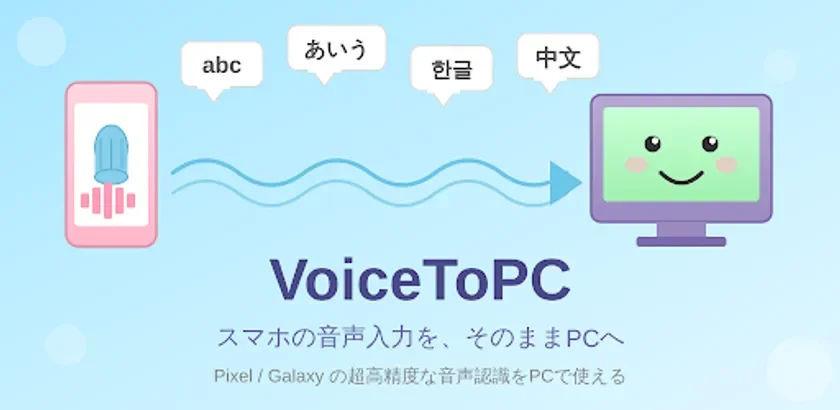
The claim of “world-class accuracy” for VoiceToPC is based on its unique operational principle. The application does not perform its own voice recognition; instead, it acts as a bridge, transferring the results of the smartphone’s integrated voice recognition engine directly to the PC. Modern smartphones, particularly those equipped with Google Tensor chips (Pixel 7 and later) and Samsung’s continuously improving engine (Galaxy), achieve remarkably high accuracy and speed by processing speech data entirely on the device, without sending it to the cloud. By utilizing these on-device capabilities, VoiceToPC inherently delivers the highest possible accuracy for PC voice input.
This contrasts with Windows’ standard voice input (Win + H), which is often considered impractical for daily use. Many users currently subscribe to paid voice input services, costing over 1,000 JPY per month. VoiceToPC offers superior accuracy, surpassing these paid services, at a subscription fee of just 300 JPY per month.
A Pivotal App for the Voice Input Era
In the current landscape of AI advancements, voice input, though seemingly understated, is emerging as a critical technology. There is a discernible shift towards reducing keyboard reliance for tasks such as issuing commands to AI, drafting emails, and creating documents. A growing number of users are already performing the majority of their input via voice, demonstrating performance that often surpasses traditional typing speeds. VoiceToPC is positioned as a timely and essential tool within this evolving paradigm.
Development Insights: Surpassing Paid Services
The developer initiated VoiceToPC’s creation out of a personal need. Previously, a paid voice input service, Aqua Voice, costing approximately 1,500 JPY per month, was used. However, network security restrictions at client sites often prevented the use of cloud-based services. Additionally, issues arose in remote desktop environments like Splashtop. The development of VoiceToPC was a direct response to these challenges. The developer noted that VoiceToPC ultimately offered significantly higher accuracy and speed compared to the previously used paid service, leading to daily personal use of the new application.
Design Focused on Security
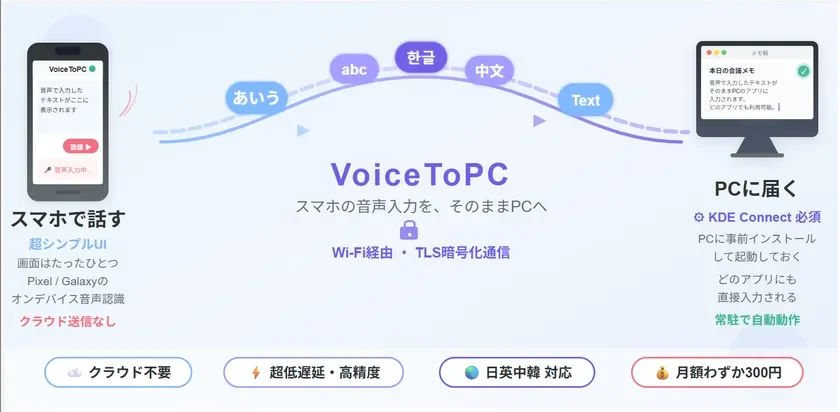
VoiceToPC prioritizes security in its architecture. Audio data is never transmitted to the cloud; voice recognition is processed entirely within the smartphone. Only the resulting text is sent to the PC, and this communication is secured using TLS 1.2 encryption with RSA 2048-bit key pairs and X.509 certificates. This design ensures that the application can be used reliably even in corporate environments with stringent security policies where cloud-based voice input services are often restricted.
Ultimate Simplicity with Advanced Technology
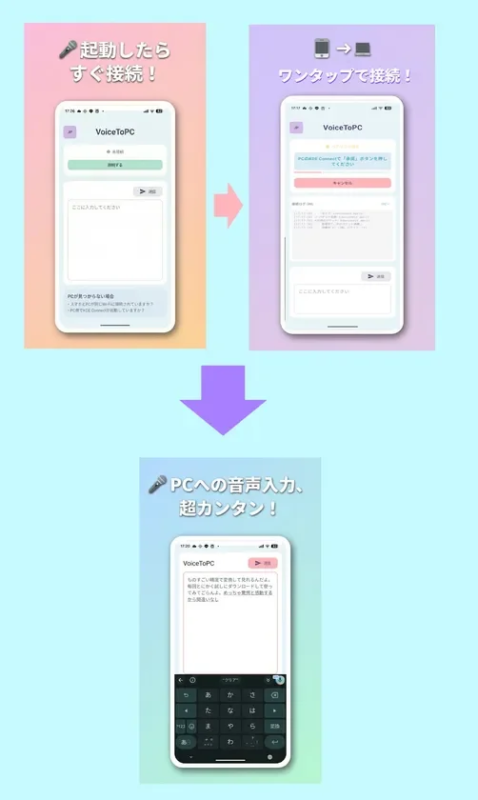
The user interface of VoiceToPC is designed for extreme simplicity: users connect to their PC with a single tap and then simply speak. Despite this straightforward operation, the application incorporates substantial technological sophistication.
It features a proprietary implementation of the KDE Connect protocol (version 8), employing dual discovery methods (UDP broadcast and port scanning) for automatic PC detection. The system adheres to protocol v8 specifications, including re-exchanging Identity packets after an SSL/TLS handshake. Once paired, devices store certificates for automatic, approval-free reconnection. Connection stability is a key focus, with a 5-second interval monitor checking TCP liveness and attempting automatic reconnection upon detecting anomalies. The design also maintains connections after the smartphone awakes from sleep, allowing immediate use upon returning to the app. Previous connection targets are remembered, enabling automatic restoration of connections even after an app restart.
Text is initially buffered on the smartphone and can be sent to the PC at the user’s discretion. The PC’s active window receives the text the moment the send button is pressed, even if other windows are in focus.
How to Use VoiceToPC
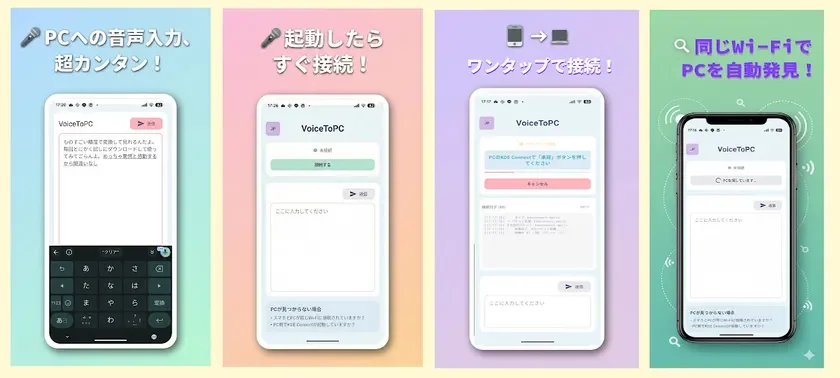
The usage process is streamlined:
- Install KDE Connect on your PC. It needs to be running if not set as a persistent application.
https://kdeconnect.kde.org/download.html
- Install VoiceToPC on your smartphone.
- Tap the “Connect” button and select your PC.
- Begin speaking.
VoiceToPC automatically detects PCs on the same Wi-Fi network. For environments with only wired LAN, combining VoiceToPC with Pao.Hotspot (an application that turns a wired LAN PC into a Wi-Fi router, also developed by the company) allows for the creation of a high-precision voice input environment anywhere.
Supported Languages
The application supports Japanese, English, Chinese, and Korean. The use of the smartphone’s native voice recognition ensures high accuracy across all supported languages, including CJK (Chinese, Japanese, Korean) languages, which are often considered challenging for voice input. The app’s UI also supports these four languages, automatically adjusting based on the device’s language settings.
Pricing Structure
VoiceToPC is available for free initially, allowing for more than 30 free uses. Beyond this threshold, a monthly subscription of 300 JPY is required. Cancellation of the subscription does not prevent continued use. Users are encouraged to download and experience the app’s accuracy and speed.
Download and Experience
Voice input is increasingly transforming work processes, potentially even more so than AI. The demand for highly accurate voice recognition that captures both spoken words and their nuances is growing. VoiceToPC offers a premium experience in this domain. Users are invited to download it from Google Play to witness its speed and accuracy firsthand.
Product Details
-
Product Name: VoiceToPC
-
Release Date: February 2026
-
Platform: Android (Google Play)
-
Product Site: https://www.pao.ac/VoiceToPC/
-
Google Play: https://play.google.com/store/apps/details?id=ac.pao.voicetopc&hl=ja
-
Price: 300 JPY/month (tax included) Free for over 30 uses
-
Supported Languages: Japanese, English, Chinese, Korean
-
Operating Conditions: Android smartphone
-
PC Side: Windows (KDE Connect installation required)
Developer (Pao@Office)
-
Website: https://www.pao.ac/
-
Facebook Page (Japanese): https://www.facebook.com/pao.at.office
Company Overview
-
Company Name: Pao@Office Co., Ltd.
-
Established: October 2001
-
Capital: 10 million JPY
-
Representative: Makoto Murai, Representative Director
-
Corporate Site: https://www.pao.ac/
-
Employees: 10
-
Address: 3-29-2-401 Yatsu, Narashino-shi, Chiba, Japan
-
Business Activities:
- Consulting for general systems (planning and proposal)
- Software design, manufacturing, and sales
- System operation support
- Development and sales of software development support tools
Customer Inquiries
-
Pao@Office Co., Ltd.
-
TEL: 047-452-0057
-
E-MAIL: info@pao.ac