Six Reasons to Choose ‘Connect Pro+’
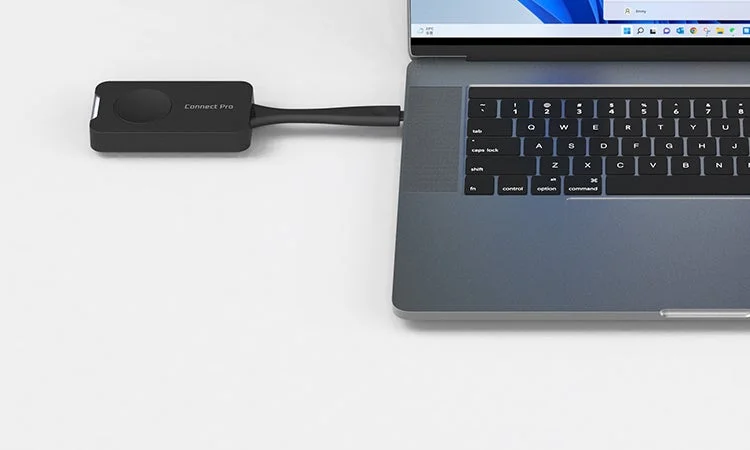
Connect Pro+ offers several key advantages for seamless collaboration and presentation:
1. Instant Connection with One Click
Simply connect the transmitter to a PC or other device and press a button to establish a connection. No complex wiring or Wi-Fi settings are required. Proprietary wireless transmission also enables mirroring in offline environments.
2. Professional-Quality 4K Display
Despite being a wireless connection, Connect Pro+ achieves stunning 4K high-definition visuals. Fine text, diagrams, and video content are displayed with exceptional clarity.
3. Bidirectional Touch Operation
Touch operations performed on the receiver-side monitor are instantly reflected on the connected device. This allows for smooth operation while presenting in front of a large screen.
4. Wireless Sharing of Peripherals (BYOM Compatible)
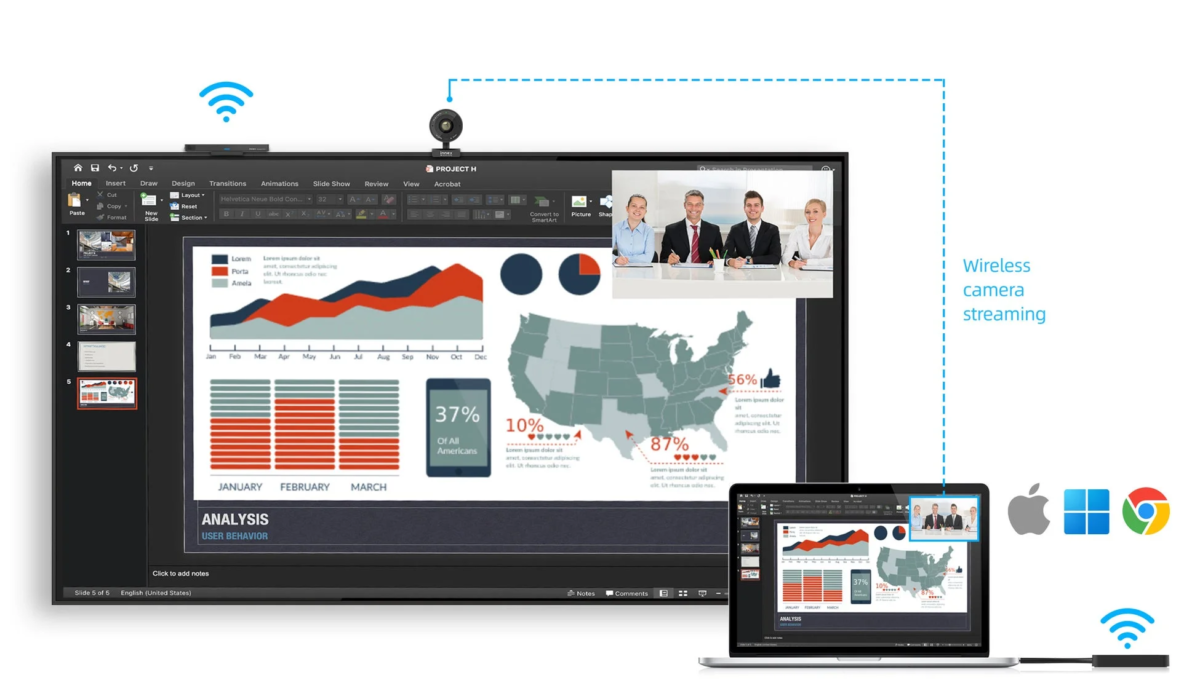
Web cameras and microphones connected to the receiver can be utilized wirelessly from a PC. This significantly reduces the effort required to set up web conferences.
5. Simultaneous Display of up to 9 Screens
Up to nine screens can be projected simultaneously, streamlining meetings that require comparison and discussions involving multiple documents.
6. Multi-OS and Multi-Device Support
Connect Pro+ supports a wide range of devices, regardless of manufacturer or operating system, including Windows, macOS, iOS, and Android.
Usage Scenarios
Connect Pro+ transforms any PC into a wireless connection point instantly, making it versatile for various applications:
1. Web Conferencing
By simply inserting the transmitter into a PC and pressing a button, the system instantly links with the meeting room’s display, camera, and microphone. This allows for immediate commencement of web conferences without spending time on preparation.
2. Education and Online Classes
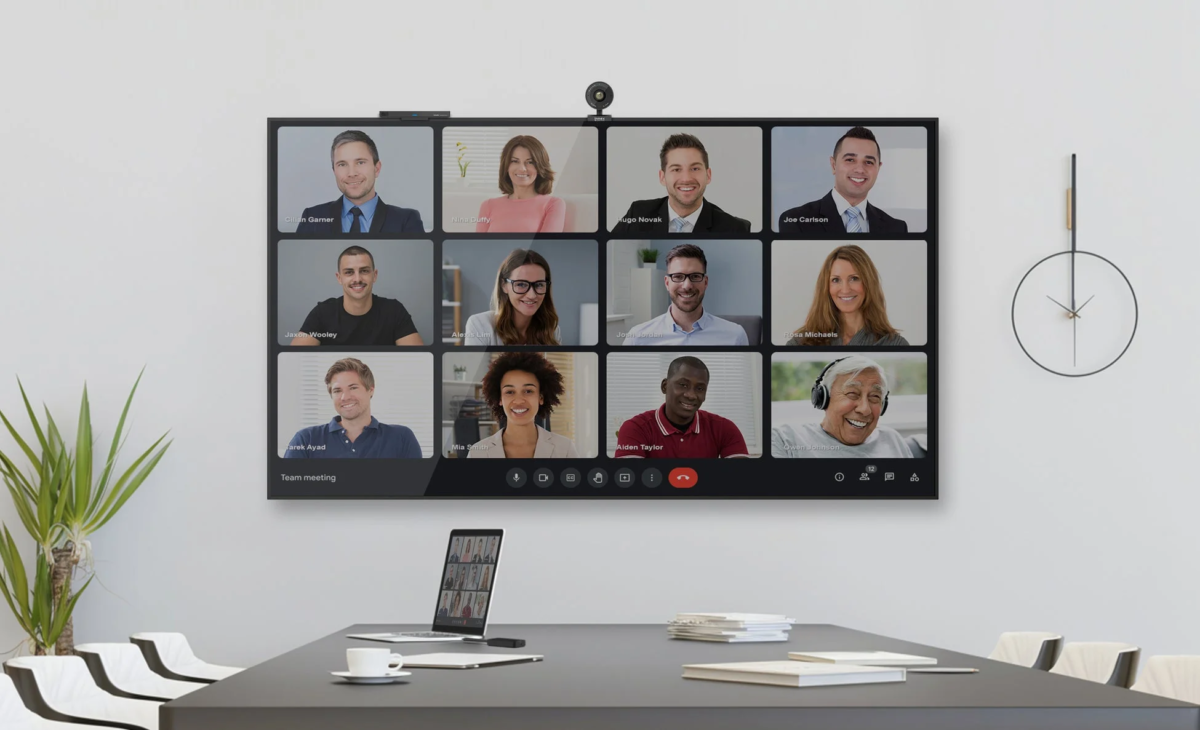
In hybrid learning environments (in-person + online), PC screens from the classroom can be instantly shared with both remote participants and the large screen in the classroom. Utilizing the simultaneous display function for up to 9 screens can facilitate deeper discussions by comparing all student responses or presentations at once.
3. Sales Activities and Presentations

Wirelessly share your PC screen with a client’s monitor. Since no dedicated app installation or complex setup is required, presentations can be started smoothly without burdening the client.
Product Specifications
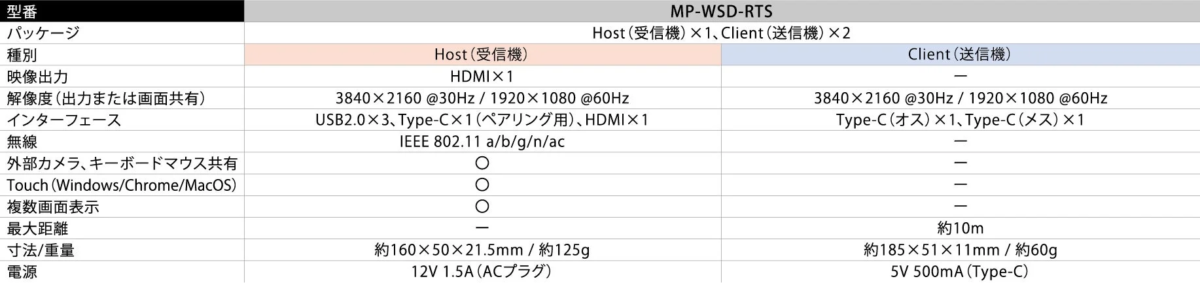
For further details on the product, please visit: https://biz.mirai-touch.com/connect-pro/
About Satsuki Corporation
Founded in 1931, Satsuki Corporation operates three main businesses: Environmental Solutions, IT Solutions, and Home Appliances/Equipment Parts. The IT Solutions division addresses educational challenges in Japan from various perspectives. Its electronic whiteboard “MIRAI TOUCH,” known for its operability and functionality, is widely adopted in educational settings nationwide, promoting DX in education.
The “MIRAI TOUCH Biz” initiative supports DX promotion for businesses, achieving efficiency in business scenes and assisting corporate management. The number of supported companies exceeded 300 as of October 2025. Satsuki Corporation also develops digital signage solutions, continuously exploring new possibilities for information dissemination.
Satsuki Corporation website: https://www.satsuki.co.jp/